Anatomy of a high-performing blog post: 12 elements that drive traffic

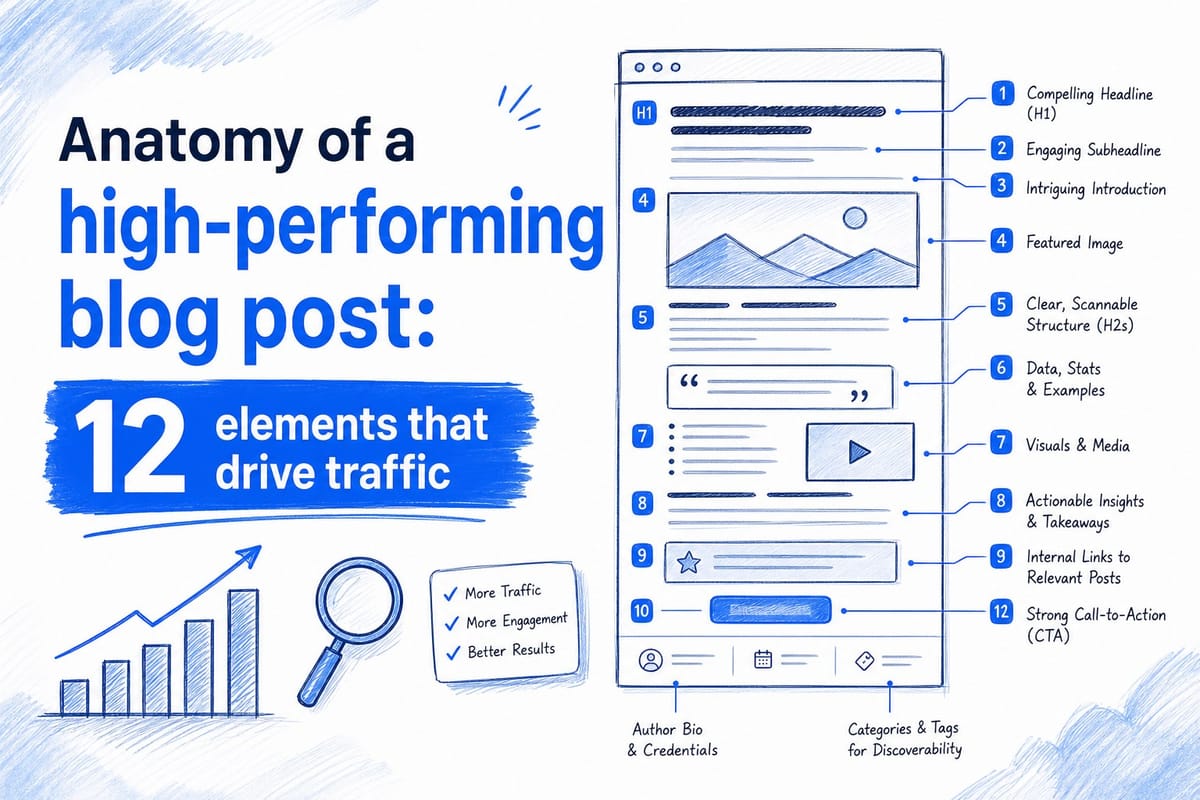
Table of contents
1. The foundation: six elements every post needs before you write a word
2. The body: four elements that keep readers reading and search engines happy
3. The finish: two elements that turn traffic into real results
I have read hundreds of blog posts that never saw a single visitor from search. I have also studied posts that pull in thousands of readers every month, year after year. The difference almost always comes down to structure. When you understand the anatomy of a high-performing blog post, you stop guessing and start building content that actually works. This guide breaks down 12 specific elements that separate posts that rank and convert from posts that disappear. Whether you are an independent blogger, a SaaS founder, or a small business owner trying to grow organic traffic, these elements apply to every article you publish.
The foundation: six elements every post needs before you write a word
Before you open a blank document, six foundational decisions shape whether your post will perform. Skip any one of them and you are building on sand.
1. A focused keyword with real search intent
Every high-performing blog post starts with one primary keyword that reflects what real people are actually typing into a search bar. The keyword is not just a phrase you repeat in headings. It is a signal about intent, and intent determines what kind of post you need to write.
Someone searching "how to reduce customer churn" wants actionable steps they can follow today. Someone searching "customer churn definition" wants a quick, clear explanation. Those two people need completely different articles, even though both searches include the words "customer churn." Writing the wrong type of post for the intent means poor engagement, high bounce rates, and rankings that never materialize.
Start every post by asking: what does the person who types this phrase actually want to do, learn, or decide? Then write for that specific person and no one else. Tools like Google Search Console can show you what queries already bring people to your site. Free keyword research tools can show you monthly search volume and an estimate of how competitive a phrase is. For a newer blog, targeting lower-competition, longer-tail keywords gives you a realistic shot at ranking on page one. I go deeper on this in how to set realistic SEO goals for a brand-new blog.
One post, one primary keyword. Keep related secondary terms in the mix because they will show up naturally when you write thoroughly, but do not try to rank for five different things in a single article. Focus wins every time.
2. A title that earns the click
Your title has two jobs and it has to do both at once. First, it needs to include your target keyword in a natural way, ideally toward the front of the title so it is visible in search results without getting cut off. Second, it needs to make a reader scrolling through a results page feel like your article is the obvious choice over every other result on the screen.
Specific, benefit-driven titles outperform vague ones consistently. "12 elements of a high-performing blog post" tells the reader exactly what they are getting and sets a clear expectation. "Tips for better blogging" tells them almost nothing. Numbers work because they promise a defined scope. Questions work when they mirror the exact thing the reader is already wondering. Brackets and parentheses, like "(with examples)" or "(step-by-step)", add specificity that often lifts click-through rates in a competitive results page.
Keep your title under 60 characters so it does not get truncated in search results. And consider writing your title last, after you know exactly what the article delivers, rather than committing to a headline before you have written a single section.
3. A meta description that earns the second click
The meta description shows up below your title in search results. Google does not use it as a direct ranking signal, but it absolutely affects whether someone clicks your result or the one above or below it. Think of it as a two-sentence pitch written directly to your reader.
A good meta description restates the keyword naturally, calls out the main benefit the reader will get from the article, and ends with a soft nudge toward reading more. Keep it between 140 and 160 characters. Avoid generic filler like "In this article, we will discuss" and go straight to what the reader gains by clicking.
If you do not write a meta description, search engines pull random text from your article to fill that space. That pulled text is usually mid-sentence and unhelpful. Take the two minutes to write your own.
4. A URL slug that is clean and keyword-rich
Your URL slug is the part of the web address that comes after your domain. It is a small thing that many bloggers set and forget, but it matters for both search engines and readers.
Keep slugs short, lowercase, and built around your primary keyword. Use hyphens between words, not underscores. A clean slug looks like: yourdomain.com/anatomy-high-performing-blog-post. An auto-generated slug often looks like: yourdomain.com/?p=4823. Search engines read the URL as a relevancy signal. So do readers. A clean, readable slug also builds trust before the click.
One more thing: avoid putting the year in your URL slug. If you update the post in two years, a date-stamped URL makes the content look stale before anyone reads it. Keep the slug timeless so the URL works for the life of the article.
5. Proper heading structure that guides skimmers and crawlers
Most readers scan before they commit to reading. They move their eyes down the page, read the headings, and decide whether the content is worth their time. If your headings are weak, vague, or missing entirely, readers leave. If your heading hierarchy is broken, search engines have a harder time parsing your content structure and understanding which ideas are primary versus supporting.
Use one H1, which is typically your title. Then use H2s for your main sections and H3s for subsections within those sections. Each heading should tell a skimmer something specific and useful, not just label a section with a phrase like "More information" or "Additional tips."
Strong headings naturally include secondary keywords without you having to force anything. If your post is about blog post structure, your H2s might organically include phrases like "on-page SEO elements" or "content hierarchy" because those concepts genuinely belong in those sections. Write headings for people first. The keyword benefit follows naturally.
6. Word count that matches what the topic actually needs
There is a persistent myth in content marketing that longer is always better for SEO. That is not accurate. Word count should match the depth the topic requires and the intent behind the search, nothing more and nothing less.
A post answering "what is a canonical tag" might perform well at 800 words if it covers the concept clearly and completely. A comprehensive guide to building a blog content strategy from scratch probably needs 2,500 or more words to do the topic justice. The goal is completeness, not padding. Filler sentences and repetitive sections hurt your time-on-page metric because readers leave when the content stops delivering value.
Before you write, look at the top three to five results for your target keyword. Notice how deep those posts go, what subtopics they cover, and what they miss. Then aim to match or exceed that depth while cutting anything that does not add real information. If a paragraph does not teach something, clarify something, or move the reader forward, cut it.
The body: four elements that keep readers reading and search engines happy
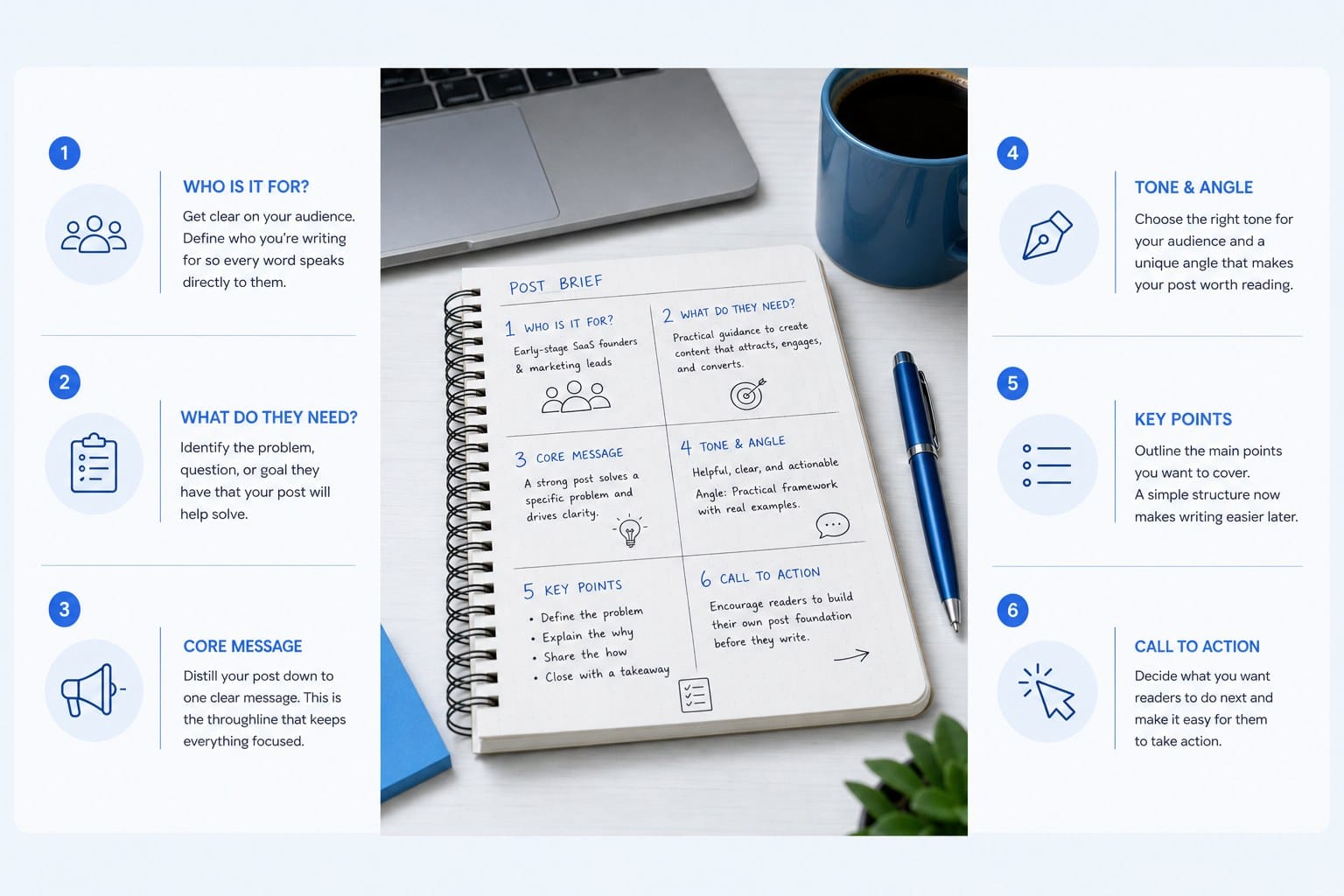
Once the foundation is solid, the body of your post needs to deliver on the promise your title made. These four elements determine whether readers stay, share, and take action, or bounce and move on.
7. An introduction that hooks without wasting time
You have roughly five to ten seconds to convince a reader that your post is worth their time. Most readers make that decision in the first few sentences. An intro that opens with "In today's digital world" or "Blogging has changed a lot in recent years" wastes that window immediately. Those phrases are signals that the writer is warming up, not delivering.
Instead, open with something that connects directly to the reader's situation, problem, or goal. Acknowledge the specific frustration or desire they arrived with. Then tell them quickly and clearly what this post will help them accomplish.
The strongest introductions I have read do three things in a compact space: they hook the reader with a specific observation or premise that feels true, they acknowledge the reader's problem or question, and they promise a clear outcome. Keep introductions short. Three to five paragraphs is usually enough before you move into the substance of the article.
Avoid burying the lead. If your post promises 12 elements of a high-performing blog post, signal that value within the first few sentences, not after three paragraphs of context-setting. Readers came for the answer. Get them there fast.
8. Content that is genuinely specific
This sounds obvious, but it is the element most often skipped in practice. Generic advice that could apply to anyone and everyone tends to help no one. High-performing posts are specific in a way that makes the reader feel like the article was written for their exact situation.
Specificity means using real examples. Instead of saying "use a compelling call to action," show what a compelling call to action looks like in a real post and explain why it works. Instead of saying "write better headings," show the before and the after, and name the specific change that made one heading stronger than the other. Concrete examples reduce the cognitive load on the reader and make the advice stick long after they have closed the tab.
Specificity also means covering the topic thoroughly enough that the reader does not need to visit four other sites to get the full picture. When a single article answers the question completely, it earns longer time on page, more return visits, and more links from other writers who reference it as a resource. That behavior compounds over time into stronger rankings.
Aim for original insight wherever you can find it. You do not need to reinvent the wheel on every topic, but you should add something, whether that is a sharper explanation, a more useful analogy, a concrete example the competing posts missed, or a perspective drawn from your own experience with the topic. Synthesis without original perspective is the most forgettable type of content online.
9. Internal links that build topical authority
Internal links serve two purposes simultaneously. They help search engines understand the relationship between your content, which strengthens your topical authority over time. And they help readers find related articles that answer follow-up questions without leaving your site.
A good internal linking practice connects each post to two to five relevant articles using anchor text that describes what the linked article actually covers. Generic anchors like "click here" or "read more" carry no semantic information. Descriptive anchors like "content strategy for early-stage blogs" tell both the reader and the search engine exactly what to expect on the other side of the link.
Time your internal links well. When a related concept comes up naturally in the body of your article, that is the moment to link to the deeper post on that concept. Readers who find the link useful at that exact moment will click through and spend more time on your site, which is a positive signal about content quality.
If you are building a content library from scratch, start identifying clusters of related topics early. Group your planned articles by theme and link them together as you publish. Over time, this internal linking web becomes one of your most durable SEO assets because it shows search engines that your site covers a topic in depth, not just at the surface level. For the tool side of this equation, SurferSEO vs AI blog tools: which one actually grows your brand covers how different platforms approach content optimization in a way that directly connects to building this kind of authority.
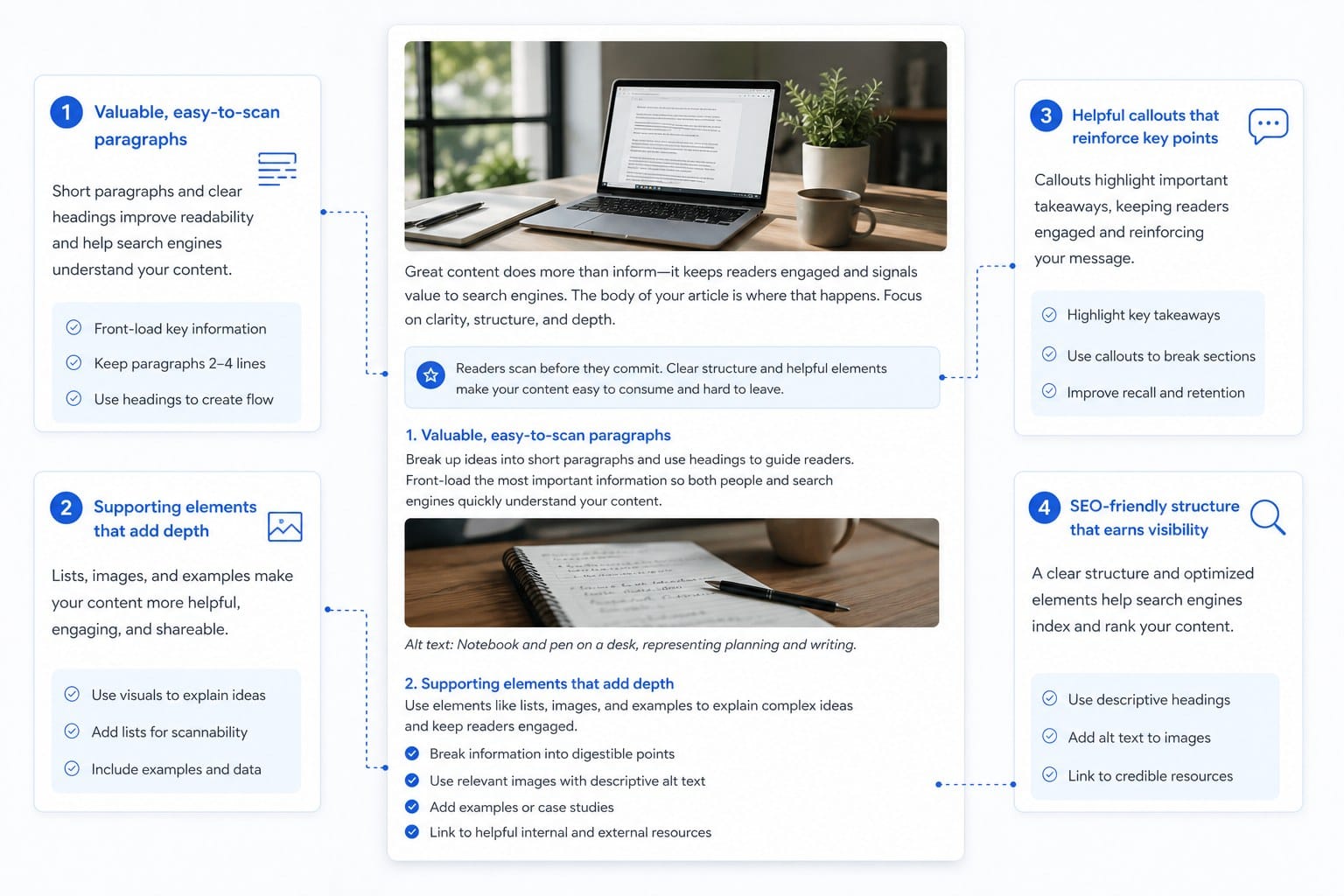
10. Visuals that support the content without slowing the page
Images, charts, and diagrams are not decoration. Used well, they make complex ideas faster to understand, give readers a visual break in long sections of text, and give other sites a reason to reference your post when they want to illustrate a concept.
Alt text on every image serves two purposes: accessibility for readers using screen readers, and a secondary relevance signal for search engines. Write alt text that describes what the image actually shows, with your keyword included where it fits naturally and accurately. Do not stuff keywords into alt text that does not describe the image. That practice is both unhelpful and counterproductive.
Keep image file sizes optimized before you upload. Large, uncompressed images are one of the most common reasons pages load slowly, and page speed is a confirmed ranking factor that affects both desktop and mobile results. Use compression tools before uploading and use next-generation formats like WebP when your CMS supports them.
Original visuals outperform stock photos in almost every context. A custom diagram that explains a process, a branded chart that visualizes data, or an annotated screenshot that walks through a tool gives your post a distinctive quality that stock images cannot replicate. Original visuals are also more shareable on social media because they look like they came from a source rather than a clip art library. For content operations running at any kind of scale, having on-brand visuals for every post is a significant competitive advantage. Blogtude builds this directly into the content generation process so each article comes paired with visuals that match your brand without requiring a designer on your team.
The finish: two elements that turn traffic into real results
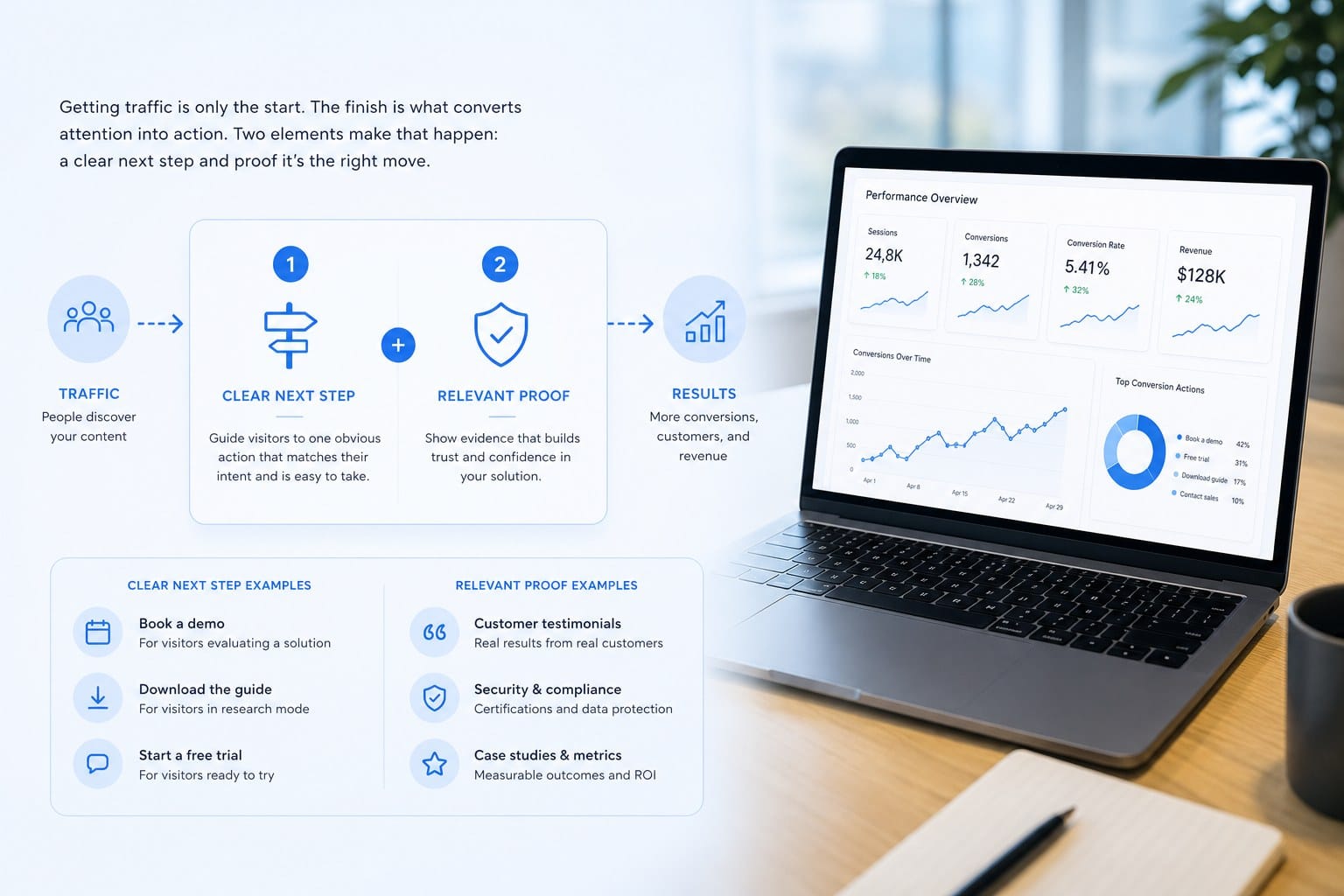
The last two elements of a high-performing blog post are where most bloggers leave the most value on the table. Getting traffic is only half the job. The finish of your post determines whether that traffic leads anywhere useful or simply evaporates.
11. A conclusion that closes the loop and points forward
A weak conclusion says "In conclusion, we have covered a lot of ground today." A strong conclusion does actual work in a small space.
End your post by distilling the most important takeaway in a fresh way, not by repeating your introduction word for word. Give the reader a clear sense of what to do next. If your post is part of a series or connects to a natural next step in their learning, name it. Readers appreciate knowing where to go from here rather than landing on a paragraph that simply signals the article is over.
The conclusion is also where you can add a brief human moment. What do you personally do with this information? What have you seen work in practice? A short, honest note in the conclusion reinforces that the article came from someone with real experience on the topic, not just a summary of what other articles already say. That human element builds the kind of trust that makes readers bookmark the site and come back.
Keep conclusions short. Two to four paragraphs is usually enough. You have already delivered the value. The conclusion wraps it cleanly and points the reader toward their next move.
12. A call to action that fits the reader's next logical step
Every high-performing blog post ends with a clear call to action. That does not mean a hard sell or a pop-up that blocks the content. It means giving the reader one obvious, low-friction next step that connects directly to what they just read.
The most effective calls to action match where the reader is in their journey. A post targeting early-awareness readers who are just learning about a topic should end with a CTA to sign up for a newsletter, download a related guide, or read the next article in the series. A post targeting readers who are actively evaluating solutions should end with a CTA to try a product, start a free trial, or book a call. Match the ask to the awareness level and the conversion rate will be meaningfully higher.
Avoid generic CTAs like "Contact us today" at the bottom of an educational article about blog structure. The mismatch between the content and the action breaks the reader's momentum. The more naturally the CTA flows from the article's subject matter, the lower the friction and the higher the likelihood the reader takes that next step.
If your blog goal is to build an audience, grow an email list, or drive product signups, every post should have exactly one primary CTA. Give readers three different actions and they typically take none of them. Give them one clear, relevant action and a meaningful percentage will follow through.
This is also where monetization thinking comes in. Even before you have a large audience, you can structure posts to support a revenue goal by being intentional about which CTA belongs at the end of each article. I cover practical options for this in how to monetize a blog before you have 10,000 monthly readers.
Applying all 12 elements consistently across every post you publish
Understanding what makes a blog post perform well is one thing. Applying all 12 of these elements consistently, across every article you publish, week after week, is a different kind of challenge.
For an independent blogger posting once a week, building this discipline is realistic with practice and a good checklist. You learn to run through the list before you hit publish, and over time the structure becomes second nature. Missing one or two elements occasionally is not catastrophic. But missing them systematically across dozens of posts because you are rushing or guessing adds up fast, and you end up with a large archive of content that underperforms relative to the time you put in.
For a SaaS founder trying to grow organic traffic while running a company, or a small business owner who does not have hours each week to research, write, and optimize, consistency is the hardest part of content marketing. The strategy makes sense. The execution is where it breaks down.
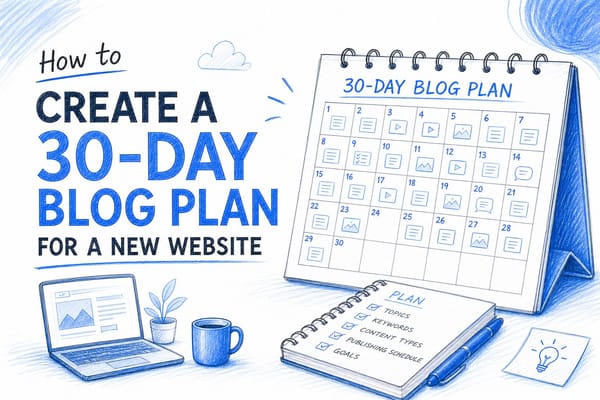
That is exactly the problem Blogtude was built to solve. The platform generates a 30-day content strategy built around your audience and goals, produces deeply researched long-form articles that follow structural best practices, pairs every article with on-brand visuals, and publishes directly to Ghost and other CMS platforms. Every post that goes live is built on these same 12 elements without requiring you to manage the process manually each time or audit each article against a checklist before it goes out.
Whether you use a platform like Blogtude or build your own workflow and checklist, the goal is the same: make these 12 elements a fixed part of your process rather than an optional upgrade. When every post has a focused keyword, a compelling title, a complete and specific body, strong internal links, and a clear call to action, you stop hoping for traffic and start building toward predictable organic growth.
The blogs that consistently outperform their competition are rarely the ones with the biggest budgets. They are the ones with the most consistent structure applied across the most posts over the most time. Build the structure into your process from the start, and the results follow.
Ready to take the next step?
Ready to publish blog posts that have all 12 of these elements built in from the start? Blogtude handles the strategy, the writing, the visuals, and the publishing so you can focus on growing your brand. Visit blogtude.com to see how it works.