Internal linking best practices for blogs that want to rank

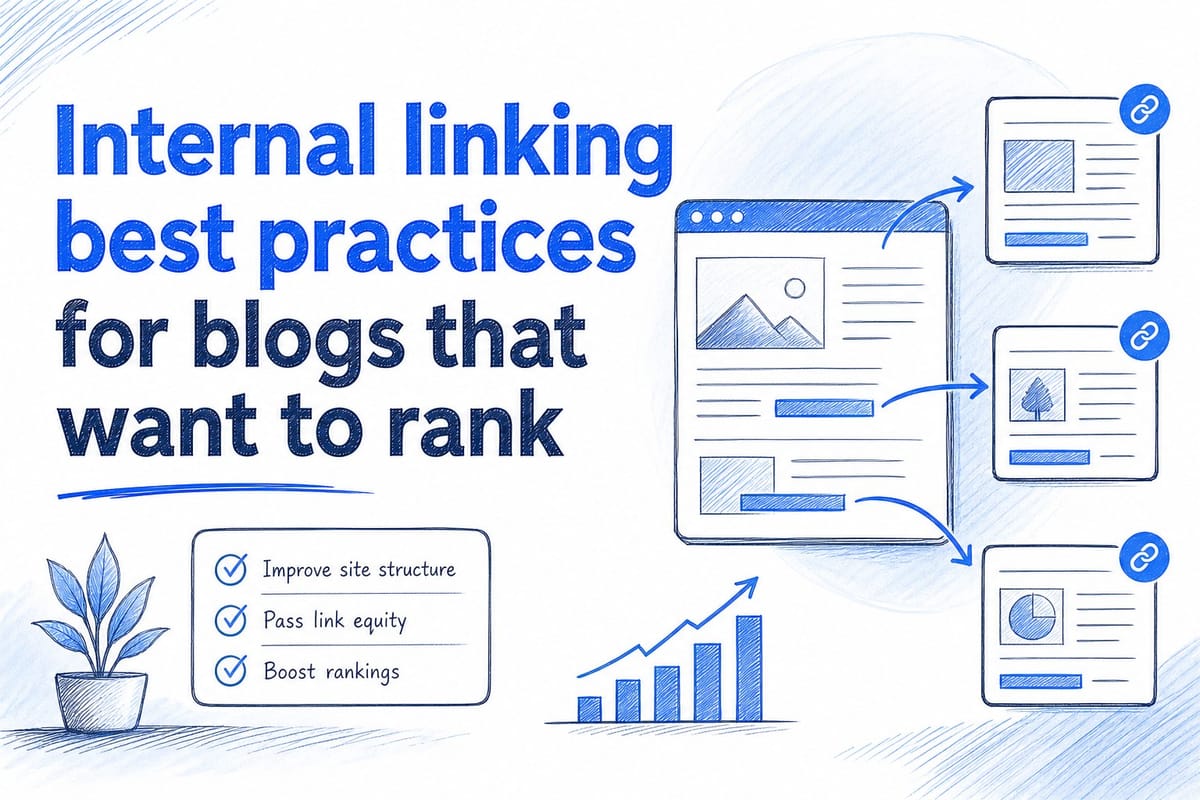
Table of contents
1. Why internal links matter more than most bloggers think
2. The specific practices that actually move the needle
3. How to build internal linking into your workflow, not just your to-do list
I want to be honest with you: internal linking is one of the most underused SEO tactics in blogging. Most bloggers spend hours writing a post, hit publish, and never think about how that post connects to anything else on their site. That is a missed opportunity every single time. When you follow solid internal linking best practices for your blog, you help search engines understand your site structure, you keep readers engaged longer, and you move more of your content up in rankings. This guide walks through exactly how to do that, with practical steps you can start using today.
Why internal links matter more than most bloggers think
An internal link is simply a hyperlink that points from one page on your site to another page on the same site. That sounds basic, but the effect it has on your SEO is anything but small.
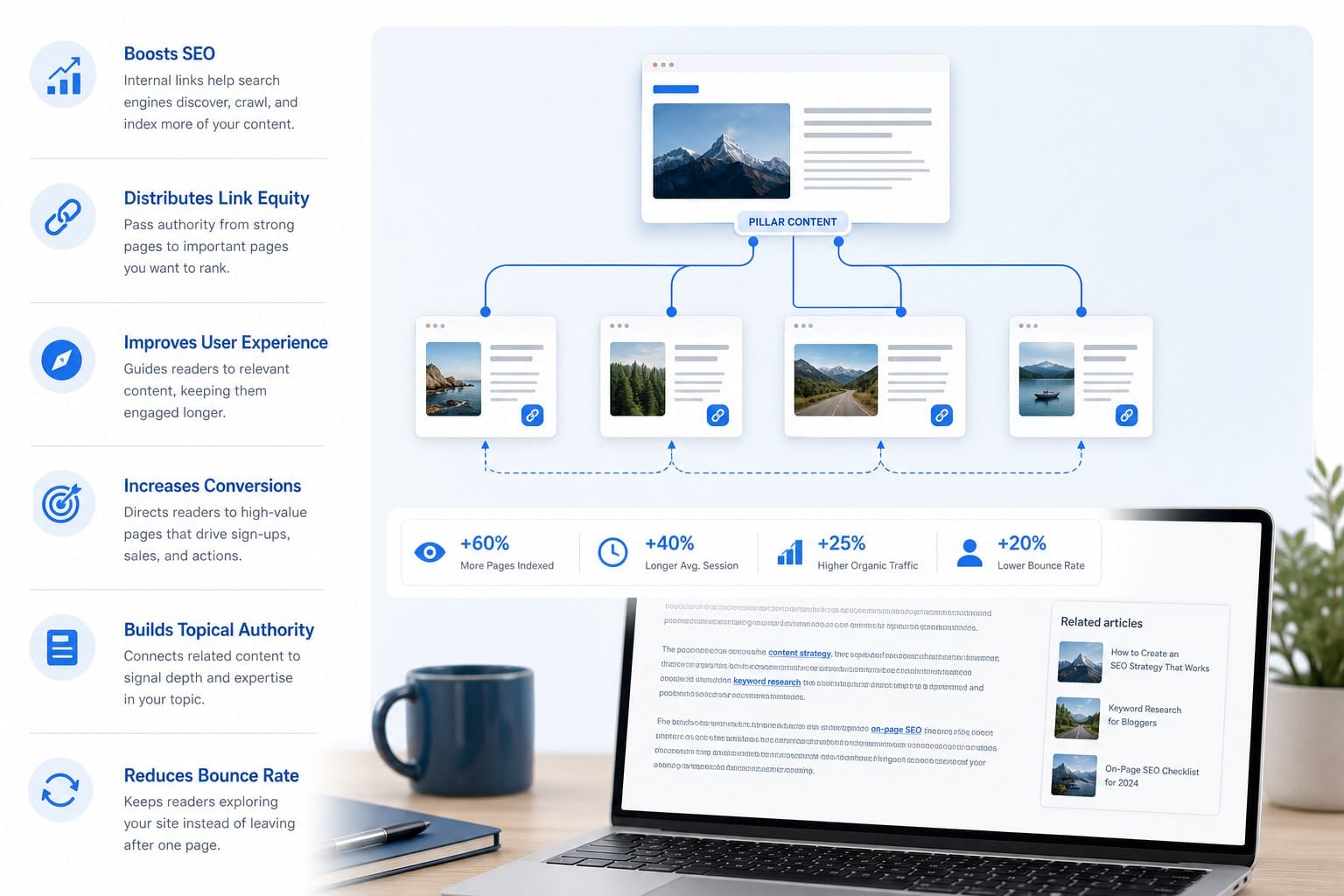
Search engines like Google use links to discover and crawl content. When Googlebot lands on one of your blog posts, it follows every link it finds. If those links lead to other posts on your site, the bot crawls those too. The more connected your content is, the more thoroughly your site gets indexed. Pages with no internal links pointing to them, what SEOs call orphan pages, can sit in the dark and never rank for anything meaningful.
Beyond crawling, internal links pass what is called link equity, sometimes referred to as PageRank, between pages. Think of link equity as a signal of authority. When a high-traffic post links to a newer post, some of that authority flows to the newer page. That can give fresh content a real boost without waiting months for external backlinks to accumulate.
There is also the user experience side. A reader who lands on your post about, say, email marketing strategy, might not know you also have a detailed post on subject line writing. An internal link placed naturally in the text surfaces that content for them. They stay on your site longer. Your bounce rate drops. Google notices that readers find your content useful and keeps your rankings higher as a result.
Here is a concrete example. Imagine you run a blog about personal finance. You have a cornerstone post titled 'How to build an emergency fund.' That post gets decent traffic from search. Now you write a new post on 'High-yield savings accounts for beginners.' If you link from the emergency fund post to the savings account post using relevant anchor text, you are sending a crawlable signal that the new post is related and worth visiting. The new post benefits from the existing traffic and authority of the older one.
For bloggers trying to scale content, this interconnected structure is especially important. Every post you publish should fit into a web of related content, not sit in isolation. That web is what turns a collection of blog posts into a site with genuine topical authority.
One more thing worth understanding: internal links also tell Google which pages you consider most important. If you link to your 'Start here' page or your main product page from ten different posts, you are signaling that page matters. If you never link to a post after publishing it, you are signaling the opposite. So your internal link choices are editorial choices about what you value on your own site.
That is why internal linking best practices for blogs are not just a technical checklist. They are a content strategy decision that shapes how search engines and readers experience everything you publish.
The specific practices that actually move the needle
Now that we understand why internal linking matters, let me walk through the practices that produce real results. These are not theoretical. They reflect how Google crawls sites, how readers navigate content, and how topical authority gets built over time.
Use descriptive anchor text, always
Anchor text is the clickable words in a hyperlink. Generic anchors like 'click here' or 'read more' tell search engines almost nothing. Descriptive anchors like 'how to do keyword research for a new blog' give both Google and the reader a clear idea of what the linked page covers.
When you write anchor text, aim for natural phrasing that fits the sentence. You do not need to force an exact keyword match every time. In fact, varying your anchor text slightly is healthier than repeating the same phrase verbatim across dozens of posts. Think about what a real editor would write if they were recommending another article mid-paragraph.
For example, instead of writing 'click here to learn about our content strategy tool,' you might write 'a tool that builds your 30-day content strategy automatically.' The second version flows naturally, tells Google what the destination is about, and does not feel forced.
Match link count to post length
A general rule that holds up well in practice: aim for two to five strong contextual internal links in posts that run between one thousand and fifteen hundred words. For longer posts, you can naturally include more. A three thousand word guide might comfortably carry eight to twelve internal links without feeling spammy.
The key word here is contextual. Links dropped in random places, or clustered together at the bottom in a 'related posts' widget, carry less weight than links placed within the actual body of your text where they make logical sense. Contextual links tell Google that the connection between the two pages is meaningful, not just automated.
Do not pad links to hit a number. Every link you include should answer the question 'why would a reader genuinely want to go there from this sentence?' If you cannot answer that, cut the link.
Link from your high-traffic pages to your newer or weaker ones
Pull up your analytics and find your top ten posts by organic traffic. Those pages are your most authoritative real estate. Whenever you publish something new that is topically related to one of those top performers, go back and add an internal link from the older post to the new one.
This is one of the fastest ways to lift a new post's rankings without waiting for external backlinks. You are essentially lending authority from a page that already has it to a page that needs it.
Many bloggers only think about internal linking at the time of writing. They link forward to posts they have already published, but they rarely go back and link backward from old posts to new ones. Building that habit into your publishing process is one of the highest-leverage things you can do.
Fix orphan pages before they become a bigger problem
Run a site audit using any standard crawl tool. Look for pages that have zero internal links pointing to them. Those are your orphan pages. Search engines may rarely visit them, and readers will almost certainly never find them organically within your site.
For each orphan page, find two or three existing posts that are topically related and add a contextual link. It takes about ten minutes per page once you know what you are looking for. The payoff can be significant, especially for posts that cover topics with real search demand but have been invisible due to poor site structure.
If you are producing content consistently, orphan pages accumulate faster than you might expect. A blog publishing three posts a week can easily have dozens of orphaned pieces within a year if no one is managing internal links deliberately.
Build topic clusters intentionally
A topic cluster is a group of posts that all cover different aspects of a broad subject, with a central 'pillar' post linking out to each one and each supporting post linking back to the pillar.
For example, if your pillar post is 'The complete guide to content marketing,' your cluster might include posts on editorial calendars, content repurposing, blog SEO, social distribution, and email newsletters. Each of those supporting posts links back to the pillar, and the pillar links to each of them. This structure signals to search engines that your site has deep expertise on the topic, not just a single tangential post.
Topic clusters are also good for readers because they can follow a logical learning path through your site. Someone who starts on the pillar post and clicks into the editorial calendar post is a reader who is genuinely engaged with your content. That kind of session depth is a positive quality signal.
If you want to figure out which topics your cluster should cover, starting with search intent research helps enormously. I wrote about how to approach that in How to use SERP analysis to uncover blog topics your competitors missed, which walks through a practical method for spotting gaps in your niche.
Prioritize your most commercially important pages
If you have a sales page, a lead magnet landing page, or a cornerstone piece of content that drives conversions, make sure your blog posts link to it where the context is natural. This is especially relevant for SaaS founders and small business owners who blog to support a product.
Think about it from a user journey perspective. A reader who finds your blog post through search is a cold visitor. If that post can naturally guide them toward a page where they learn about your product or sign up for something, you have created a path from discovery to conversion. Internal links are a big part of how that path gets built.
If you have been publishing content but conversions have stayed flat, the problem is often this disconnection between informational posts and commercial pages. I covered this in more depth in Why your blog content isn't converting (and how to fix it), which goes into the structural reasons content fails to drive action.
Audit your internal links regularly
Internal links break when pages get deleted, URLs change, or posts are unpublished. A broken internal link leads a reader and a search engine crawler to a dead end. If you have a lot of those, it creates a negative signal about your site's quality.
Schedule a link audit every quarter. Most SEO crawl tools will flag broken links automatically. When you find one, either restore the destination page, update the link to point to a relevant live page, or remove the link altogether. Do not let broken links accumulate.
Beyond broken links, also review whether your older posts are linking to newer content you have published. As your blog grows, older posts become increasingly valuable distribution points for newer material. An annual sweep through your top twenty posts to add updated internal links is time well spent.
How to build internal linking into your workflow, not just your to-do list
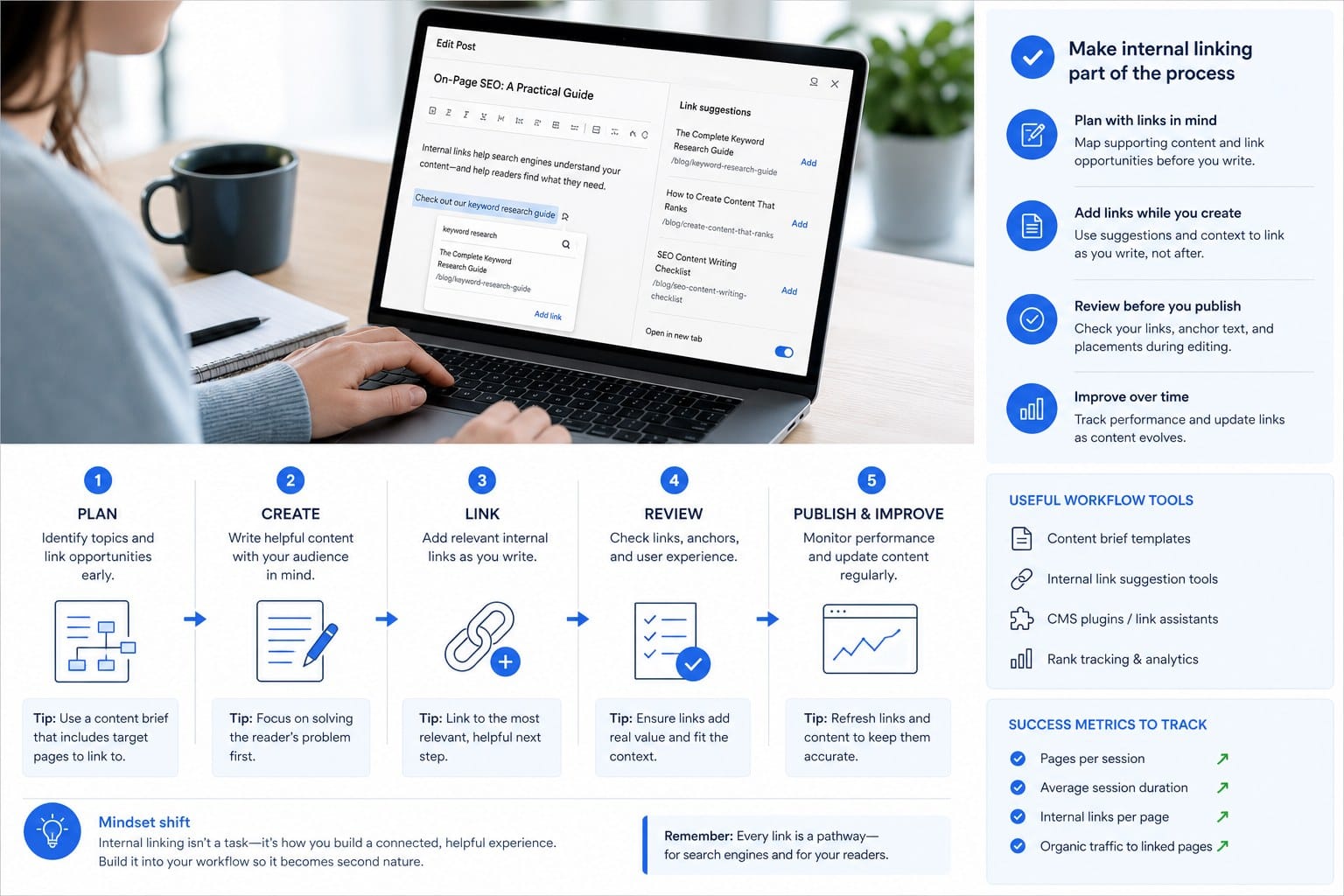
Knowing the best practices is one thing. Applying them consistently when you are also writing, researching, editing, and publishing is another. This is where most bloggers fall down. Internal linking gets treated as an afterthought rather than a built-in step, and over time, the site structure suffers for it.
Here is how to make it a sustainable habit.
Create a simple content index
Keep a running list of every post you publish, organized by topic. A basic spreadsheet works fine. Each time you write a new post, before you hit publish, open that index and scan for two to five posts you can link from and two to five you can link to. Take five minutes to add those links in both directions. This one habit alone will dramatically improve your site's internal link health over time.
The index also helps you spot topic cluster opportunities you might have missed. When you see ten posts on content marketing sitting in one section of your spreadsheet, you might realize you do not have a pillar post pulling them together yet. That is your next piece to write.
Make backlinking old content a regular task
Set a recurring calendar reminder, maybe once a month, to spend thirty minutes adding internal links from older posts to newer ones. Pull a list of your newest five posts, find your most relevant existing content, and add links where they fit naturally.
This is especially important if you are publishing frequently. The faster your content library grows, the more opportunities there are for meaningful connections between posts, and the more those connections tend to get missed.
For bloggers who are trying to scale without a large team, this is also one of the tasks that costs real time. If managing internal links manually is eating into your week, that is worth acknowledging directly. Scaling blog output without scaling your team is exactly the kind of challenge that purpose-built content tools are designed to solve.
Think about internal linking at the outline stage, not just at the end
When you plan a post, note two or three existing posts you intend to link to before you start writing. This makes the links feel natural because you are building them into the structure from the start rather than forcing them in after the fact.
For example, if I am writing a post about freelance content costs, I might note during outlining that I want to reference my post on The true cost of outsourcing blog writing to a freelancer at the point where I discuss budget trade-offs. Planning that in advance means I write the surrounding text in a way that makes the link flow naturally, rather than awkwardly inserting it later.
Use your site search to find linking opportunities inside existing posts
When you publish a new post, use your site's own search function to find older posts that mention the topic. In those posts, add a link to your new piece where it fits. This is faster than reading every old post from scratch and often surfaces surprising connections between pieces you did not initially see as related.
Do not over-engineer it
Internal linking best practices for blogs do not require a complex technical setup or enterprise-level tools to implement. What they require is consistency and intentionality. If you build two habits, linking forward when you write and linking backward when you publish, you will be ahead of the vast majority of bloggers who never think about this at all.
The bloggers I have seen rank consistently well are rarely doing anything exotic. They publish useful content, they connect it deliberately, and they keep their site structure clean. That combination works. The internal linking piece is less about mastering a technical trick and more about treating your blog as a connected body of work rather than a series of isolated posts.
For those running blogs at scale, whether that is a SaaS content program, a digital marketing agency, or an independent creator building an audience, the challenge is maintaining that discipline as output increases. When you are publishing ten posts a month instead of two, internal link management can slip. Having a system, or a platform that handles structural content planning as part of the process, is what separates blogs that rank long-term from those that plateau.
If you are interested in how automated content workflows can include this kind of structural thinking from the start, that is exactly what Blogtude is built to handle. It builds a 30-day content strategy, writes deeply researched posts, and publishes them to Ghost and other platforms with the kind of planning that keeps internal structure coherent as your blog grows.
Ready to take the next step?
Blogtude builds your content strategy, writes your posts, and publishes them automatically so your blog grows without the manual grind. If you are ready to produce consistent, well-structured content that ranks, start your content strategy at blogtude.com.