
Ghost CMS automation: how to automatically publish blog posts

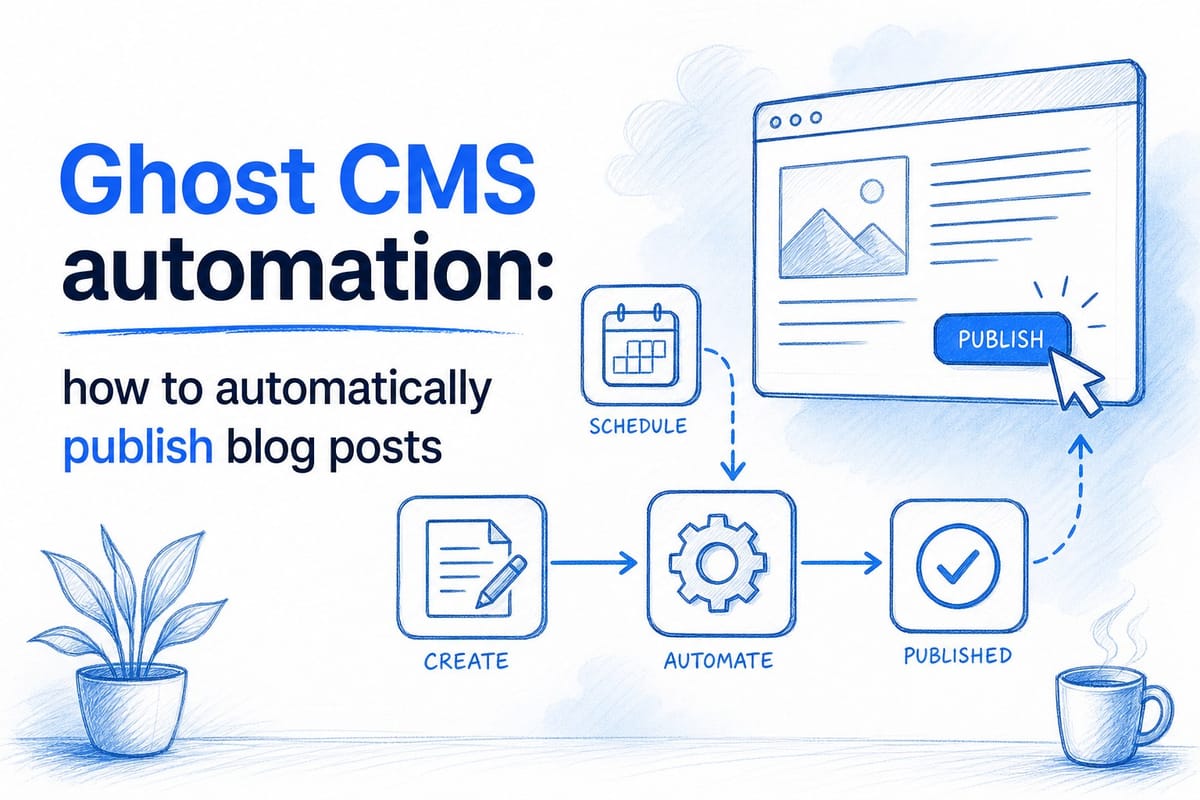
Table of contents
1. What ghost CMS automation publishing actually means
2. Building a reliable automated publishing workflow for ghost
3. Who benefits most from ghost CMS automation publishing and how to get started
If you run a blog on Ghost CMS, you already know the platform is fast, clean, and built for serious content publishing. But knowing that does not make the work easier. You still have to write the posts, schedule them, format them, add images, and hit publish again and again, week after week. That cycle gets exhausting fast, especially when you are running a business at the same time. Ghost CMS automation publishing is the answer a lot of creators and founders are starting to reach for, and in this article I want to walk you through exactly how it works, why it matters, and what a fully automated publishing workflow actually looks like in practice.
What ghost CMS automation publishing actually means
Before we get into the how, it helps to be clear on what we mean by automation in the context of Ghost CMS. A lot of people hear automation and picture something clunky or robotic, like a feed of low-quality articles pumped out by a script. That is not what good Ghost CMS automation publishing looks like today.
Automation, done well, means that every step of your content workflow, from topic research to writing to formatting to scheduling and publishing, is handled by a system instead of by you manually. You set the strategy once. The system executes it consistently. You stay in control without being the bottleneck.
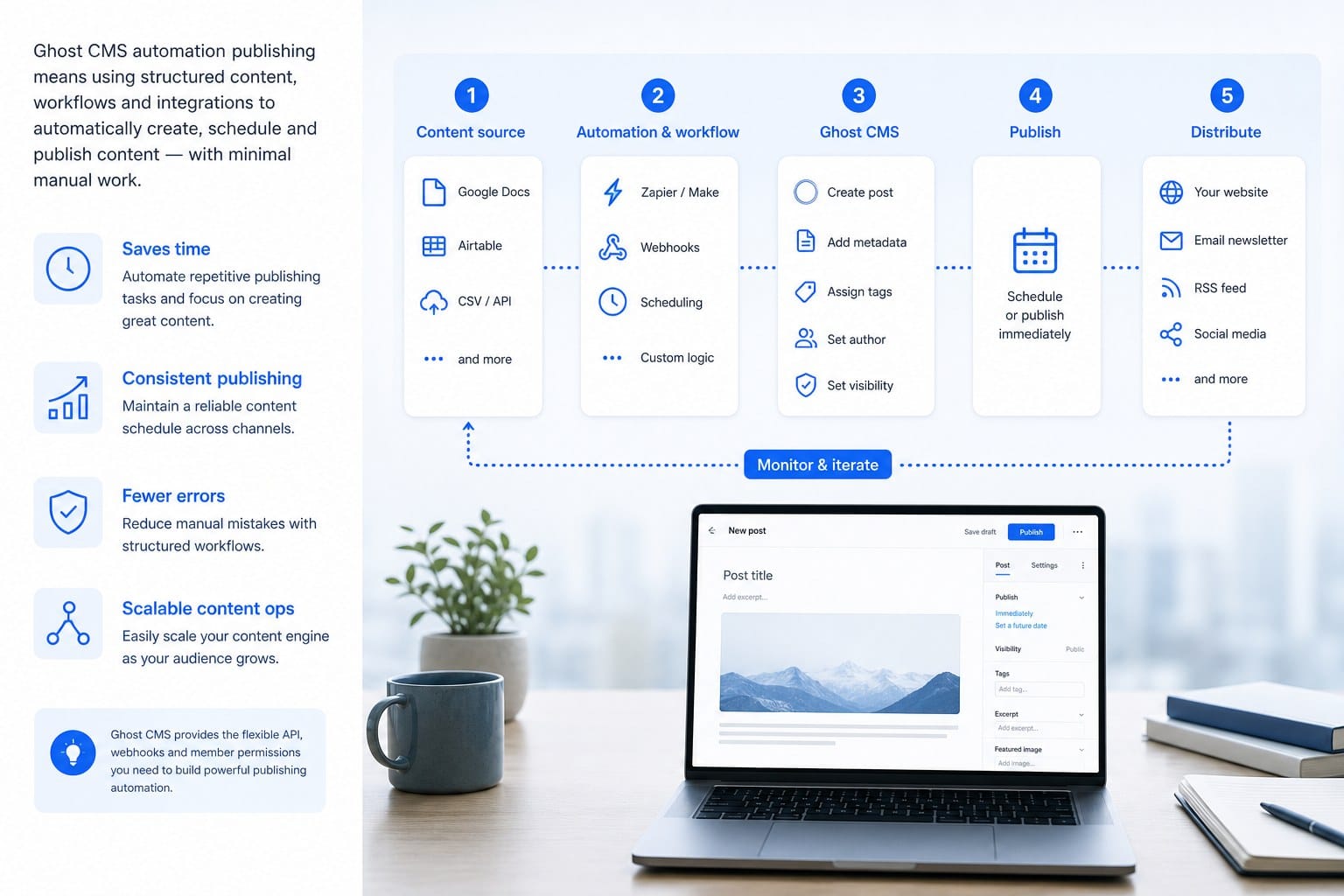
Ghost makes this especially well-suited compared to other platforms. It has a native API that lets external tools read and write content directly. That means a properly built automation layer can create a post, set a title and slug, add a featured image, apply tags, write the body content in Ghost's expected format, and schedule it for a future publish time, all without you opening the Ghost admin panel at all.
Here is what that looks like in a real scenario. Say you run a SaaS company and you want to publish three SEO-focused blog posts per week. Without automation, that means roughly 10 to 15 hours of work per week across research, writing, editing, formatting, image sourcing, and scheduling. With a Ghost CMS automation publishing workflow in place, that same output might take you 30 minutes of review time, or none at all if you trust the system fully.
The Ghost Content API and Ghost Admin API are the two main technical entry points here. The Content API is read-only and lets you retrieve published posts. The Admin API is where the real automation magic happens, because it lets you create, update, and schedule posts programmatically. Any tool or service that connects to the Admin API and authenticates correctly can manage your blog as if a human were sitting at the keyboard.
Most Ghost CMS users who want to automate their publishing have three options. They can build a custom integration themselves using the API, which requires developer skills. They can use a no-code tool like Make or Zapier to connect Ghost to other services, which works for simpler workflows. Or they can use a purpose-built content automation platform that handles the entire pipeline, including content strategy, writing, visual production, and publishing. Each approach has its place depending on your resources and goals.
I want to spend most of this article focused on practical workflow design, because that is where most people get stuck. The API documentation is available. The question is how to build a system that produces content worth publishing and then gets it live on your Ghost site reliably and consistently.
Building a reliable automated publishing workflow for ghost
A good automated publishing workflow is not just about the final step of pushing a post live. It starts much earlier, with the strategy layer, and every stage has to be set up correctly for the end result to be worth reading.
Let me walk through the stages of a well-built Ghost CMS automation publishing workflow so you can see how they connect.
The first stage is content strategy and topic planning. This is where most DIY automation setups fall short. They automate the publishing but skip the strategy, so they end up publishing content that does not serve any real SEO or audience goal. A proper workflow starts by mapping out what topics to cover, what keywords to target, how each post relates to others, and what the publishing cadence should look like over time.
For example, if you are a small business owner in the project management software space, your content strategy should map to the questions your customers are actually searching for. Topics like how to manage a remote team, how to set project budgets, or how to track deliverables across clients. Each of those becomes a post, and the posts build on each other over time to establish your site's authority on the topic.
A 30-day content strategy is a useful framing here. How to build a 30-day blog content strategy without a marketing team breaks down exactly how to do this even if you have no dedicated marketing resources. The principle is that you plan your full month of content at once, so the automation system has a clear roadmap to execute against instead of producing random posts with no connective logic.
The second stage is content creation. Once you have your topics mapped, the automation system needs to produce the actual articles. In a well-designed system, this means more than just generating text. It means researching the topic properly, understanding the search intent behind the keyword, structuring the article for readability and on-page SEO, and writing in a voice that matches your brand.
Length matters here too. Most SEO-focused articles need to be substantial, typically 1,500 words at a minimum, and often 2,500 to 4,000 words for competitive keywords. Thin content does not rank well and does not serve readers well either. Automation that produces genuinely useful long-form content is considerably harder to build than automation that just generates short-form filler, which is why the quality gap between platforms is so wide.
The third stage is formatting and visual production. Ghost renders content in a specific way, and your automated posts need to match the structure your theme expects. That means proper heading hierarchy, paragraph breaks, pull quotes if your design uses them, and featured images that are correctly sized and visually on-brand. An automated post that drops a wall of unformatted text into Ghost will look broken on the front end and will not reflect well on your brand.
Good visual production in an automated workflow means generating or sourcing images that actually match the article topic, not just slapping a generic stock photo on every post. When a reader lands on your blog and sees an image that clearly relates to what they are about to read, it builds trust before they even start scrolling.
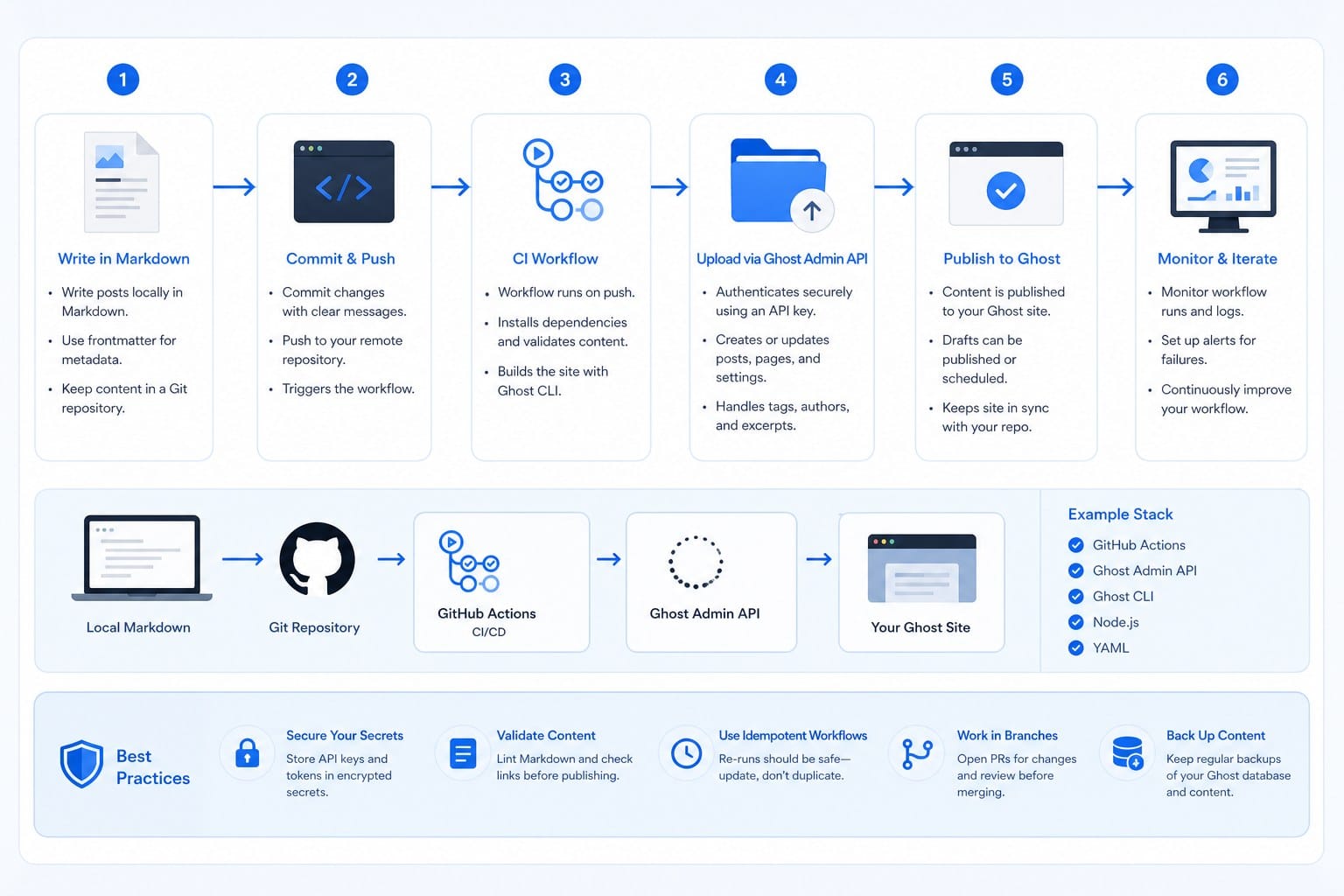
The fourth stage is the actual publishing to Ghost via the Admin API. This is where the technical integration lives. The automation system authenticates with your Ghost instance, formats the content correctly in Ghost's expected JSON structure, sets the publish date and time, applies the right author and tags, and submits the post. If the system is scheduling rather than immediate-publishing, it sets the post status to scheduled and lets Ghost handle the countdown.
A few things can go wrong at this stage if the integration is not built carefully. Ghost has specific requirements around mobiledoc or Lexical content formats depending on your Ghost version. Images need to be hosted somewhere Ghost can reference them. Tags need to exist or be created. Author IDs need to be valid. A reliable Ghost CMS automation publishing setup handles all of these edge cases without requiring manual intervention every time.
The fifth stage is monitoring and quality review. Fully automated publishing works best when there is some kind of review layer in place, whether that is a human spot-checking posts before they go live or a system-level check that flags anything that looks off before it publishes. For most growing brands, a quick 10-minute review of the week's scheduled posts is a reasonable lightweight quality gate that keeps standards high without consuming too much time.
Digital marketers managing brand blogs tend to prefer this kind of hybrid model, where the automation handles 90 percent of the work and a brief human review handles the final 10 percent. It is much faster than doing everything manually, but it preserves editorial control over what goes out under the brand name.
One practical tip worth emphasizing: tag your automated posts with a consistent internal tag in Ghost, something like auto-generated or workflow-managed. This makes it easy to filter and review them in the Ghost admin panel separately from any manual posts you write yourself. It also helps you track performance over time by comparing automated content results against hand-crafted content, which is useful data for refining your strategy.
I also want to mention the importance of scheduling spread. Do not automate all your posts to publish at the same time or even the same day of the week. Ghost does support scheduled publishing natively, and a good automation workflow takes advantage of that by spreading posts across different days and times. This looks more natural to search engines, and it also gives each post a fair window to get indexed and accumulate early traffic before the next post arrives.
Who benefits most from ghost CMS automation publishing and how to get started
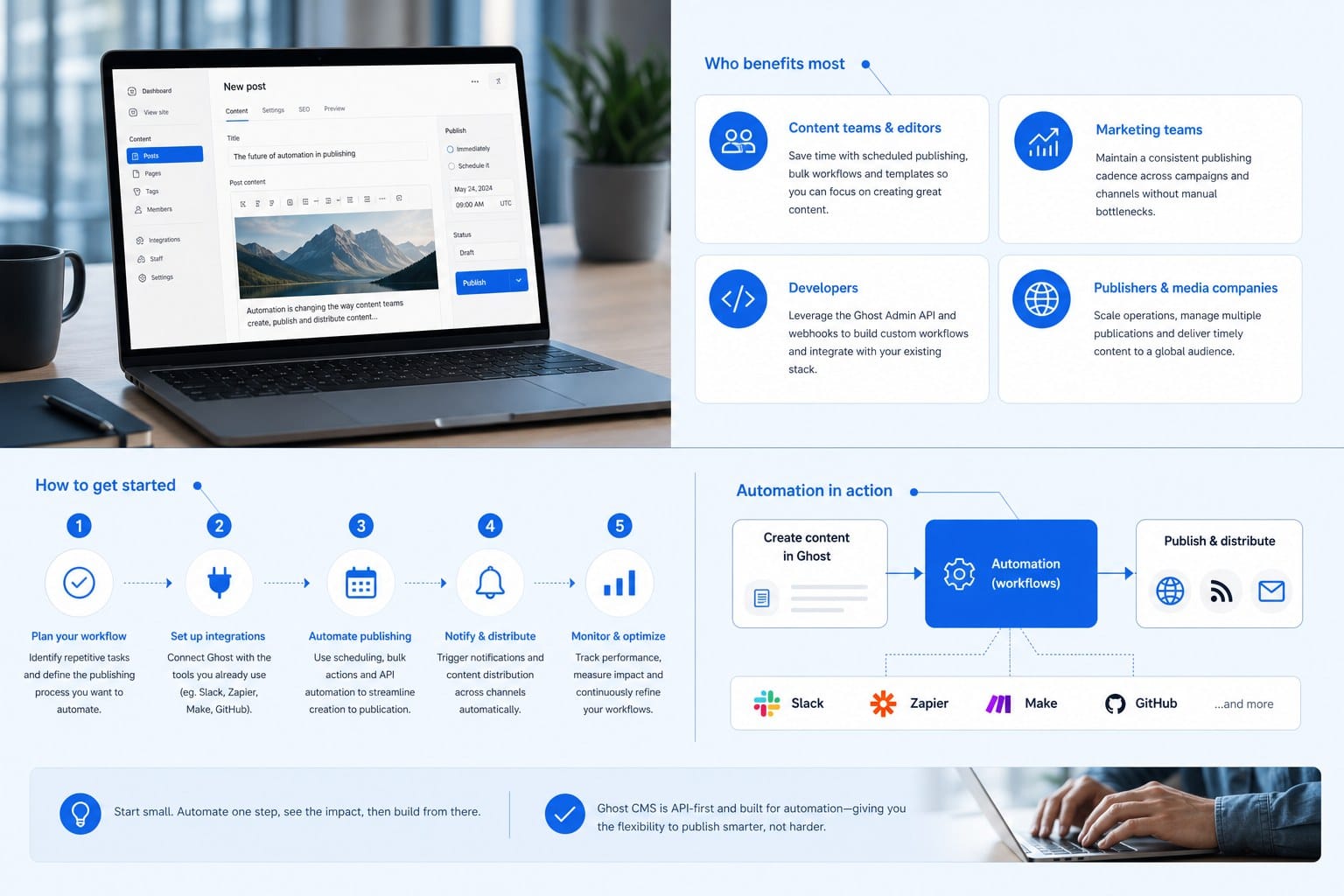
Not every blogger or business owner needs the same level of automation. The right setup depends on your publishing goals, your current capacity, and how much manual involvement you actually want to maintain. Let me walk through the audiences that benefit most and what getting started looks like for each.
Independent bloggers and content creators are often the first group to feel the time pressure that makes Ghost CMS automation publishing appealing. When you are a solo creator, every hour you spend formatting posts or sourcing images is an hour you are not spending on the content strategy decisions that actually drive growth. Automation lets you reclaim that time without sacrificing output. A creator who was publishing once a week manually might move to three or four posts a week with the right automation system in place, which compounds significantly over six to twelve months in terms of organic search traffic.
SaaS founders and startups face a slightly different pressure. They know that consistent SEO-driven content is one of the highest-ROI growth channels available to them, especially in the early stages when paid acquisition is expensive. But they also have a thousand other priorities competing for their attention. A fully automated publishing workflow means the blog keeps running and compounding SEO value even during product sprints, fundraising rounds, or hiring periods when no one has time to think about content.
Small business owners often have the most to gain from automation and the least awareness that it is available to them. The typical small business owner is not thinking about content pipelines or API integrations. They are thinking about their customers, their operations, and their revenue. As I explored in who small business owners really are and what drives them, the driving factor for most small business owners is time, not money. Automation that removes the time cost of blogging entirely is a genuinely transformative tool for this audience.
Digital marketers managing brand blogs are often the most technically savvy about what automation can do, but they are also the most accountable for quality. They need a system they can trust to represent the brand accurately and consistently. For this audience, the key is finding an automation solution that produces content that is genuinely on-brand, not just generically competent. That means the automation system needs to understand the brand voice, the target audience, and the competitive positioning, not just the keywords.
Ghost CMS users specifically often choose Ghost precisely because they want a clean, focused publishing experience without the bloat of more complex platforms. Automation that respects that ethos, publishing well-formatted, high-quality content through the Admin API without cluttering the Ghost admin with unnecessary integrations, fits naturally into why Ghost users chose the platform in the first place.
So how do you actually get started? Here are the practical steps.
First, audit your current publishing process. Write down every step you take from deciding on a topic to hitting publish. Include time estimates for each step. Most people are surprised by how long the full cycle actually takes when they map it out explicitly. This audit gives you a baseline to compare against after you implement automation.
Second, define your content goals for the next 30 days. How many posts do you want to publish? What topics or keywords do you want to target? What is the primary goal, is it driving organic traffic, building authority in a specific niche, supporting a product launch, or something else? Clear goals make it possible to build a content strategy that serves a real purpose rather than just filling a calendar.
Third, decide how much manual involvement you want to keep. Some people want to review every post before it goes live. Others are comfortable with a fully automated publish schedule after an initial setup period. Neither approach is wrong. The right answer depends on your brand's risk tolerance and how much you trust the system producing the content.
Fourth, evaluate tools based on the full pipeline, not just the publishing step. Many automation tools focus only on the API integration with Ghost, which handles the last mile but leaves all the hard upstream work to you. A more complete solution handles strategy, research, writing, visuals, and publishing as a single integrated workflow. That is the difference between saving a few hours and actually eliminating the manual content bottleneck entirely.
Fifth, start with a 30-day test. Pick a publishing cadence, set up the automation, and let it run for a full month. Review the posts that went out, check your analytics for traffic and engagement signals, and note anything that needs to be adjusted. After 30 days you will have enough data to know whether the automation is producing results and where to refine the system.
One thing I want to be clear about: automation does not mean abandoning your editorial judgment. It means applying your judgment at the strategy level, deciding what the system should produce, rather than spending your time at the execution level, doing the production work yourself. The best Ghost CMS automation publishing setups keep the human brain where it is most valuable, at the top of the funnel making strategic decisions, and let the automation handle everything downstream.
The compounding effect of consistent publishing is worth keeping in mind throughout this process. A blog that publishes three well-optimized posts per week for six months has somewhere between 72 and 78 articles, each of which can rank for its target keyword, attract backlinks, and drive organic traffic independently. A blog that publishes sporadically, producing maybe 10 or 15 posts over the same period because the process was too manual, misses most of that compounding value. The gap in organic traffic between those two blogs after 12 months is substantial, and it keeps widening the longer it goes.
Ghost CMS automation publishing is not a shortcut past good content. It is a system that makes it practical to produce good content at the volume and consistency that actually moves the needle for SEO and audience growth. The platforms and tools to do this well exist now in a way they did not just a few years ago, and the brands that figure out how to use them effectively are building significant advantages in organic search while their competitors are still doing everything manually.
If you are running on Ghost and you want consistent, high-quality publishing without adding headcount or burning yourself out on production work, setting up a proper automation workflow is one of the most leveraged things you can do for your content program this year.
Ready to take the next step?
Blogtude is built specifically for this kind of workflow. It generates a full 30-day content strategy, researches and writes long-form articles, produces on-brand visuals, and publishes directly to your Ghost CMS automatically. If you want to see what a hands-off, high-quality automated content engine looks like for your blog, visit blogtude.com and get started today.