Best CMS platforms for automated content publishing

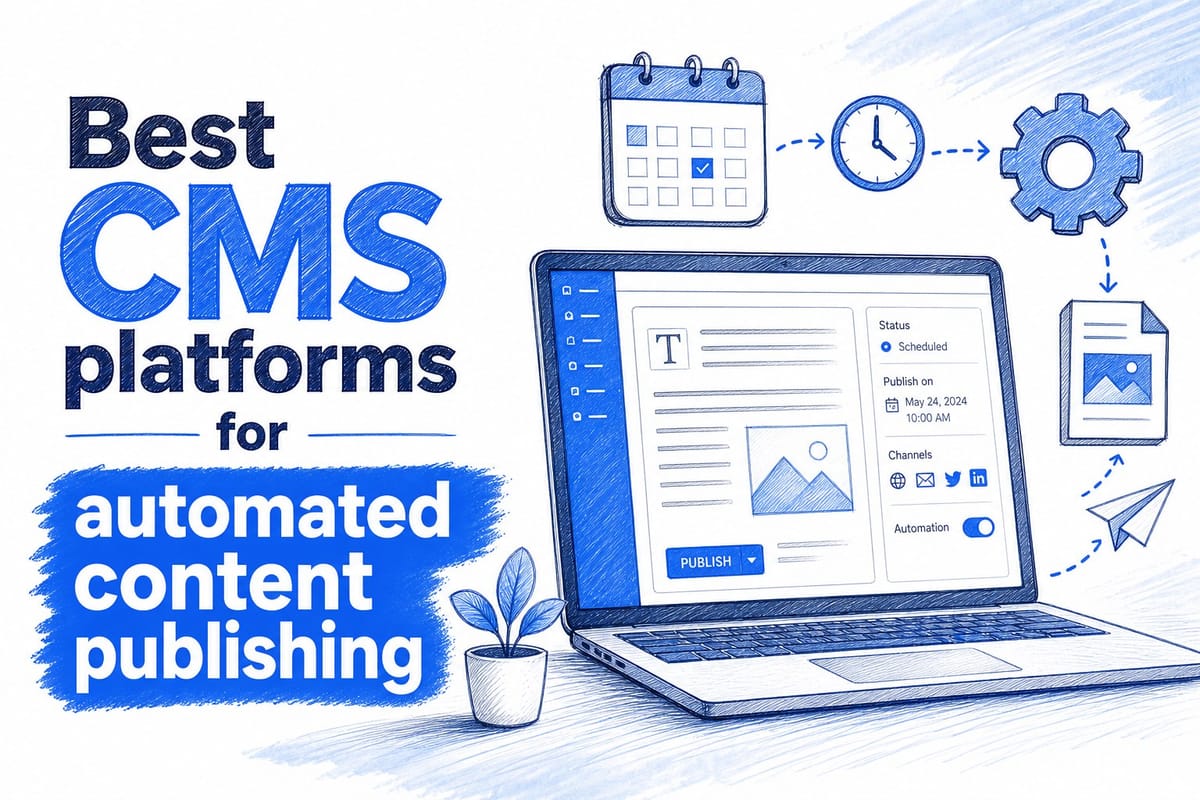
Table of contents
1. What makes a CMS good for automated content publishing
2. How to match your CMS choice to your actual workflow
3. Getting the most out of automated publishing once you have chosen your CMS
If you publish blog content regularly, you already know how quickly the process gets overwhelming. You need to research topics, write drafts, format posts, add visuals, and then actually get everything live on your site. Do that five days a week and it becomes a part-time job on its own. That is why more bloggers, SaaS founders, and marketing teams are turning to CMS platforms that support automated content publishing. The right setup means your content goes from idea to published post without you touching every step manually. In this article, I break down the best CMS for automated content publishing based on real use cases, so you can find the platform that actually fits the way you work.
What makes a CMS good for automated content publishing
Before jumping into specific platforms, it helps to understand what separates a CMS that supports automation from one that just handles content storage. Not every CMS is built with publishing workflows in mind, and some that look powerful on paper are actually rigid in ways that slow you down.
The first thing I look for is API access. A CMS with a solid REST or GraphQL API lets external tools push content directly to your site. That means an AI content engine, a scheduling tool, or a custom script can create and publish posts without you logging into a dashboard every time. Without that kind of access, you are stuck doing things manually no matter how many other tools you layer on top.
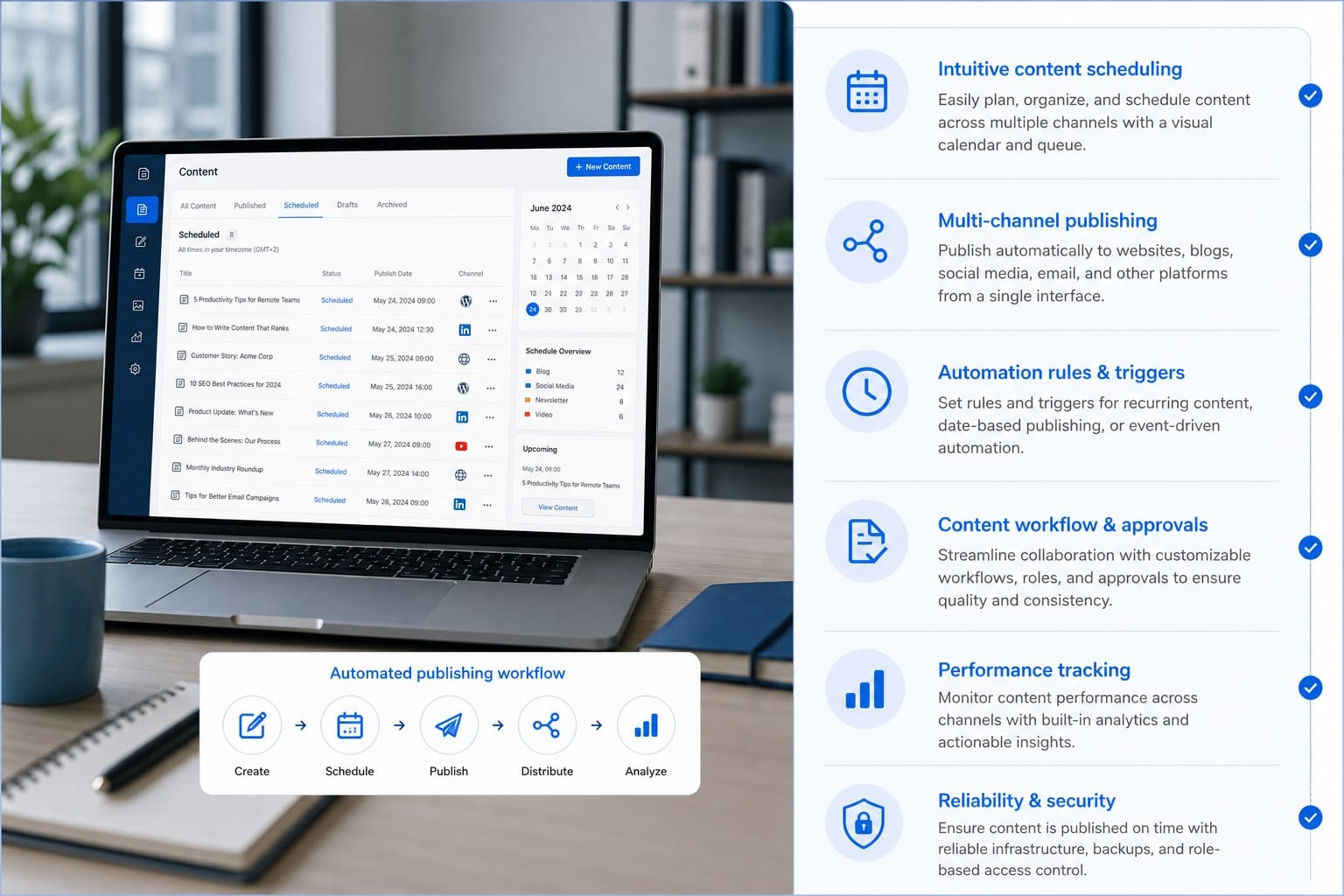
The second thing is scheduling support. You want to queue posts days or weeks in advance, set exact publish times, and trust that the system will follow through without you babysitting it. Some platforms handle this natively. Others need a plugin or third-party integration to get there.
Third, look at how the CMS handles structured content. Platforms that treat content as structured data rather than a blob of HTML make it much easier to automate things like SEO fields, featured images, author metadata, and post categories. When a tool can push all of those fields automatically, the published post looks polished without manual cleanup.
Finally, consider how the CMS connects to the rest of your stack. Integration with tools like Zapier, Make, or native webhooks means you can trigger actions when a post publishes, sync content across platforms, or notify your team automatically. That kind of connectivity is what turns a basic content calendar into a real automated publishing workflow.
With those criteria in mind, here is how the leading platforms stack up.
Ghost
Ghost is one of the cleanest choices if your goal is automated content publishing. It was built specifically for publishers, and the Admin API reflects that. You can create posts, set tags, add featured images, define publish dates, and toggle posts from draft to published all through API calls. There is no need to log in, drag things around, or format anything by hand.
Ghost also runs fast. Because it is a dedicated publishing platform rather than a general-purpose CMS, it does not carry the weight of extra modules you do not need. That matters for SEO since page speed is a ranking factor.
For teams using an AI content engine, Ghost is often the best direct integration target. The API documentation is clear, authentication is straightforward, and the content model is designed around the kind of long-form articles that actually rank. If you want to go deeper on why article length matters for rankings, this breakdown of long-form blog articles vs short posts is worth reading before you build your publishing strategy.
Ghost also supports member subscriptions, email newsletters, and custom themes out of the box. So if you grow your blog into a media business, the infrastructure is already there.
WordPress
WordPress powers a huge portion of the web, and for good reason. The REST API that ships with every modern WordPress install lets you push posts programmatically with all the fields you need. Combined with plugins like Advanced Custom Fields or Yoast SEO, you can automate not just the post content but also the meta title, meta description, featured image, and structured schema markup.
The downside is that WordPress requires more maintenance than Ghost. Plugin conflicts, security updates, and performance tuning are real tasks that take time. If you are running a lean operation and do not want to think about server management, a managed WordPress host or a headless setup can solve some of that friction.
WordPress also has strong scheduling features built in. You can set a future publish date through the API, and the platform will handle the rest. Paired with an automated content workflow, that means you can batch a month of posts and let them drip out on the schedule you set.
The plugin ecosystem is enormous, which means you can connect WordPress to almost any other tool in your stack. That flexibility is genuinely useful if your workflow involves multiple platforms, team approvals, or social distribution after publishing.
Contentful
Contentful is a headless CMS, which means it stores and delivers your content through an API but does not render a front-end website on its own. You pair it with a front-end framework or static site generator to build the actual site. That sounds more technical than it is in practice, and the payoff is real flexibility.
Because Contentful is purely API-driven, automation is essentially the default mode of working with it. There is no admin dashboard you are expected to use for routine publishing. Everything goes through the Content Management API, which makes it easy to build or connect tools that push content automatically.
Contentful also has a strong content modeling system. You define exactly what fields each content type has, which means your automation tool always knows what data to send and where. That consistency reduces errors and makes it easier to scale publishing volume without things breaking.
The main consideration is cost. Contentful's free tier is limited, and mid-tier plans can be expensive for independent bloggers or early-stage startups. If you are running a small blog, Ghost or WordPress will likely give you more value for the money. But if you are managing content across multiple channels, apps, or regions, Contentful's architecture starts to make a lot of sense.
Sanity
Sanity is another headless CMS worth knowing about. It uses a real-time content lake architecture, which means content updates appear instantly across every connected front end. For automated publishing at scale, that responsiveness matters.
Sanity's content model is extremely flexible. You define your own schema, which means you can build content types that match exactly how your automation pipeline structures data. There is no mismatch between what your tool generates and what the CMS expects.
The GROQ query language that Sanity uses is powerful once you learn it, but it does add a learning curve compared to platforms with more standard REST APIs. If you are comfortable with APIs and want maximum control over your content infrastructure, Sanity is a strong choice. If you want something that works out of the box with minimal setup, it may be more than you need.
Strapi
Strapi is an open-source headless CMS that you can self-host or run on a cloud provider. Because you own the installation, there are no per-seat fees or usage limits imposed by a vendor. That makes it attractive for teams with predictable content volumes who want to keep costs controlled.
Strapi generates a full REST and GraphQL API automatically based on the content types you define. You can create a blog post type with all the fields you need, and Strapi will expose the endpoints to create, update, and publish posts through those fields. Connecting an automated content tool is straightforward once the content type is set up.
The self-hosting aspect means you are responsible for infrastructure, backups, and updates. That is a real consideration if you are a solo blogger or a small team without a developer on staff. Managed cloud options exist and reduce that burden, but they come with their own pricing.
Webflow
Webflow sits in an interesting position. It is primarily a visual web builder, but it also has a CMS with an API that supports automated content publishing. The CMS API lets you create and update collection items, which is how Webflow handles blog posts and other dynamic content.
For teams that are already using Webflow for their site design, adding automated content publishing on top of the existing setup makes sense. You do not have to migrate to a new platform just to get automation working.
The limitation is that Webflow's CMS is not as content-first as Ghost or as flexible as Contentful. It works well for structured content like blog posts, team pages, or product listings, but the content model is tied to the way Webflow renders the front end. That coupling can create constraints if your automation pipeline needs to push content in formats Webflow does not expect.
For bloggers and marketers who want a visually polished site with automated content publishing layered on top, Webflow is a reasonable option. Just be aware of the content model limitations before you build your workflow around it.
Drupal
Drupal is an enterprise-grade open-source CMS with a powerful permissions system, strong multilingual support, and deep customization options. It has a well-developed REST API and a JSON:API module that makes it easier to work with structured content programmatically.
For large organizations managing high volumes of content across multiple editorial teams, Drupal provides the governance features they need. Workflow states, content moderation, and role-based access control are built into the platform at a level that smaller CMS options do not match.
That power comes with complexity. Drupal requires developer expertise to set up and maintain. For independent bloggers or small businesses, it is almost certainly more than you need. But for a media organization or enterprise marketing team with a dedicated development resource, Drupal can support extremely sophisticated automated publishing workflows.
Joomla
Joomla is another open-source option with a long track record. It supports a REST API that lets you push content programmatically, and its multilingual capabilities are strong for teams publishing in more than one language.
In practice, Joomla is less commonly chosen for automated content workflows than WordPress, Ghost, or headless options. The community and ecosystem are smaller, which means fewer integrations and less documentation for specific automation use cases. It is a capable platform, but I would recommend evaluating it only if you have a specific reason to prefer it over the alternatives I have already covered.
How to match your CMS choice to your actual workflow
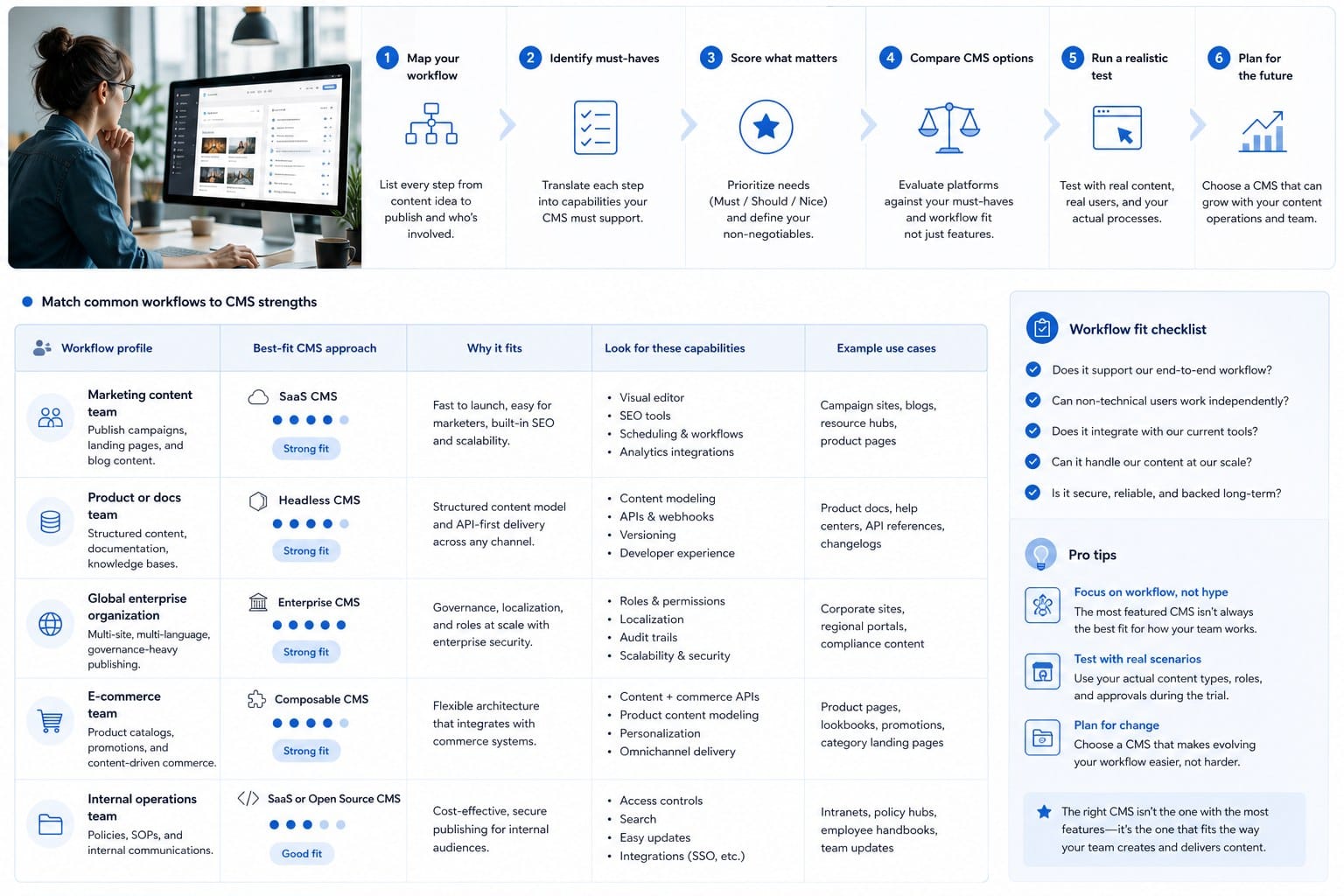
Knowing which platforms support automation is useful, but the real question is which one fits the workflow you are actually going to run. A mismatch here means you end up with a powerful platform you cannot fully use, or a simple one that breaks down when your publishing volume grows.
Start by being honest about your technical comfort level. Ghost and WordPress are the most accessible options for people who are not developers. Ghost especially has excellent documentation, a clean interface, and an API that is genuinely easy to work with even if you have never built an integration before. If you are a SaaS founder or independent blogger who wants automation without deep technical involvement, those two platforms are where I would start.
If you have a developer available or are comfortable with APIs and cloud infrastructure, Contentful, Sanity, or Strapi open up more flexibility. You can model content exactly the way your pipeline needs it, build custom workflows, and connect to front-end frameworks that give you more control over performance and presentation.
Next, think about your publishing volume. If you are publishing two to four posts per week, almost any platform on this list will handle that comfortably. If you are planning to run multiple brand blogs, publish in several languages, or push dozens of posts per week through an automated system, you need a platform that handles scale without friction. Headless options like Contentful and Sanity are designed for exactly that kind of volume.
Also think about where your content comes from. If you are working with an AI content engine that generates long-form articles with on-brand visuals and pushes them directly to your CMS, the API quality of the target platform matters enormously. A platform with a well-documented, reliable API means your content arrives correctly formatted every time. A platform with a clunky or inconsistent API means you spend time fixing broken posts instead of growing your audience.
For Ghost users specifically, the integration possibilities are strong because the platform was built with programmatic publishing in mind. Many automated content tools, including Blogtude, publish directly to Ghost through the Admin API. That means your 30-day content calendar can populate your Ghost blog automatically, with the right tags, featured images, and SEO metadata already in place.
If you are still figuring out how to structure an automated publishing workflow from the ground up, this complete setup guide for automated blog publishing covers the process in detail and gives you a practical starting point.
Thinking about SEO as part of your CMS decision
Your CMS choice has a direct impact on your SEO outcomes, and not just because of site speed. The way a platform handles structured data, canonical URLs, meta fields, and XML sitemaps determines whether your automated content is set up to rank from the moment it goes live.
Ghost generates clean, SEO-friendly HTML and handles canonical URLs automatically. It also has built-in structured data for articles, which helps search engines understand and index your content correctly. When you push a post through the API, those SEO basics are handled without any extra configuration.
WordPress with a good SEO plugin is equally capable. The Yoast SEO or Rank Math APIs let you set meta titles, descriptions, and focus keywords programmatically, which means your automation tool can populate those fields at the same time it pushes the article content. The result is a post that is fully optimized from day one.
Headless CMS platforms like Contentful require you to handle SEO at the front-end layer, which gives you complete control but also means you need to build that functionality yourself or use a framework that handles it. Next.js, for example, has strong built-in support for meta tags and structured data when paired with a headless CMS.
One thing I want to emphasize is that SEO gains from automated publishing are compounded by article depth. Thin content published at high frequency rarely builds the kind of organic traffic that moves the needle. Detailed, well-researched articles that actually answer the questions your audience is searching for are what rank. If you automate the publishing process but fill your CMS with shallow posts, you will not see the results you are looking for. The research on this is pretty consistent, and I covered it in more depth in the long-form vs short posts article linked earlier.
Automation tools that connect to your CMS
The CMS is only one part of the equation. You also need a way to generate content and push it through. A few different approaches exist, and they vary significantly in how much manual work they still require from you.
Some teams build their own automation pipelines using tools like Zapier or Make, connecting an AI writing tool to their CMS through API triggers. This works, but it requires setup time, ongoing maintenance, and usually some manual review at each step. If a Zap breaks or an API call fails, content does not go out and you may not notice until the gap is already there.
Other teams use purpose-built content engines that handle the entire process, from topic research and article generation to visual creation and CMS publishing. These tools are designed specifically for automated content workflows, which means fewer points of failure and less configuration on your end.
Blogtude falls into that second category. It generates a 30-day content strategy, produces deeply researched long-form articles with on-brand visuals, and publishes directly to Ghost and other CMS platforms. For growing brands that want consistent blog output without building and maintaining a custom pipeline, that kind of integrated approach removes most of the friction.
If you are weighing whether to build your own workflow or use a dedicated tool, this article on scaling blog content without hiring writers walks through the trade-offs in a way that should help you make the call.
A practical framework for choosing your platform
Here is a simple way to think about it based on where you are right now.
If you are an independent blogger or content creator who wants to scale output without technical complexity, Ghost or WordPress are your best starting points. Both have strong API support, excellent documentation, and direct integration with automated content tools. Ghost in particular is purpose-built for this use case.
If you are a SaaS founder or startup focused on growing organic traffic, WordPress with a solid SEO plugin setup or Ghost with direct API integration gives you the fastest path to consistent, optimized content output without hiring a full content team.
If you are a digital marketer managing multiple brand blogs or a small business owner without a development resource, look for a platform that has managed hosting, a reliable API, and a tool like Blogtude that handles the content creation and publishing side end to end. You want as few moving parts as possible.
If you are part of a larger organization with a development team, headless CMS options like Contentful, Sanity, or Strapi give you the control and scalability to build exactly the workflow you need. The upfront investment in setup pays off at higher content volumes.
In every case, the best CMS for automated content publishing is the one that fits your actual technical resources, your publishing goals, and the tools you plan to use alongside it. There is no single right answer, but there are clear wrong answers, and the biggest one is choosing a platform that creates more manual work than it removes.
Getting the most out of automated publishing once you have chosen your CMS
Choosing the right CMS is the foundation, but the results you get from automated publishing depend heavily on how you set everything up and what you do after posts go live. A lot of teams get the platform right and then leave real value on the table because the workflow around it is not thought through.
The first thing to get right is your content strategy. Automated publishing is powerful because it removes execution friction. But if you are automating a random mix of topics with no coherent keyword strategy behind them, you are just publishing consistently without building anything. A 30-day content calendar built around a specific set of target keywords, audience questions, and competitive gaps gives your automated publishing a direction. Every post contributes to a larger SEO goal rather than existing in isolation.
This is one of the places where an integrated tool beats a DIY automation pipeline. When your content engine generates the strategy and the articles together, the topics are connected, the internal linking makes sense, and the publishing schedule is built around what will actually move your organic traffic over time.
The second thing is content quality. Automated does not mean low-effort. The best automated content systems produce articles that are well-researched, specific, and genuinely useful to the reader. That is what ranks and what converts readers into subscribers, customers, or followers. If your automation tool produces thin content that just fills a CMS with words, it will not deliver the SEO results you are after.
Search engines have gotten good at distinguishing between content that actually answers a question well and content that exists purely to fill space. Long-form articles that go deep on a topic, include concrete examples, and address the reader's real intent are what earn rankings over time. Shallow posts published frequently do not have the same effect.
Third, think about what happens after a post goes live. Automated publishing gets your content out the door, but distribution still matters. Connecting your CMS to your email newsletter, your social accounts, or your RSS feed extends the reach of every post without adding manual work. Ghost has native newsletter functionality. WordPress has plugins and API connections for most distribution channels. Setting those up once means every new post automatically reaches your audience wherever they are.
Fourth, track what is working. Automated publishing makes it easy to maintain volume, but you also want to know which posts are driving organic traffic, which ones are converting readers, and which topics your audience engages with most. That data should feed back into your content strategy. A content engine that adjusts based on performance data is more valuable than one that just follows a fixed schedule.
Google Search Console is free and shows you exactly which posts are getting impressions and clicks from search. Review that data at least monthly and use it to refine your topic selection. Over time, the posts that gain traction give you a clear signal about what to publish more of.
Fifth, maintain your CMS. This sounds obvious, but automated publishing can create a false sense that the system runs itself completely. Your CMS still needs updates, especially if you are on WordPress where plugin security matters. Your API integrations still need occasional checks to make sure they are working correctly. Setting up a simple monthly review of your publishing pipeline catches problems before they result in gaps in your content calendar.
Common mistakes to avoid
There are a few patterns I see teams fall into when they first set up automated publishing, and they are worth flagging directly.
The first is treating automation as a replacement for strategy. Publishing on autopilot without a coherent plan behind it produces content that does not build toward any goal. Use automation to execute a strategy, not to avoid having one.
The second is ignoring the API documentation for your CMS. Every platform handles fields like featured images, SEO metadata, and post status slightly differently through the API. Taking the time to understand exactly what your CMS expects from an API call saves you hours of debugging broken posts later.
The third is choosing a CMS based on features you do not actually need. Enterprise CMS platforms have impressive feature sets, but most of that functionality is irrelevant if you are running a single blog. Start with what fits your current needs and scale up if the time comes.
The fourth is not testing your publishing workflow before going live. Before you trust an automated system to publish content on your blog, run it through the full cycle manually a few times. Create a test post through the API, check that every field populates correctly, verify that the post appears on your site as expected, and confirm that the SEO fields are in place. Then automate.
Putting it all together
The best CMS for automated content publishing depends on your situation, but the principles that make automation work are consistent across platforms. You need solid API access, reliable scheduling, structured content handling, and a strategy that gives your publishing volume a direction.
For most bloggers, creators, and small business owners, Ghost or WordPress will be the right choice. They are mature platforms with strong API support, large communities, and direct integration with tools designed for automated content workflows. For teams with more technical resources or higher scale requirements, headless options like Contentful, Sanity, or Strapi provide the flexibility to build exactly what you need.
What ties everything together is having a content engine that handles not just the publishing but the research, writing, and strategy that makes each post worth reading. That is the part where most automated workflows fall short, because pushing content to a CMS is only as valuable as the content being pushed.
If you are serious about building a consistent, SEO-driven blog without doing everything manually, the combination of a well-configured CMS and a capable content engine is the most reliable path to results.
Ready to take the next step?
Blogtude handles the content strategy, the writing, the visuals, and the publishing to Ghost and other CMS platforms, all in one place. If you want to maintain a consistent blog that actually grows your organic traffic without hiring a team or doing everything yourself, see what Blogtude can do for your brand at https://blogtude.com.