
Ghost CMS vs WordPress for blogging: Which platform wins for SEO

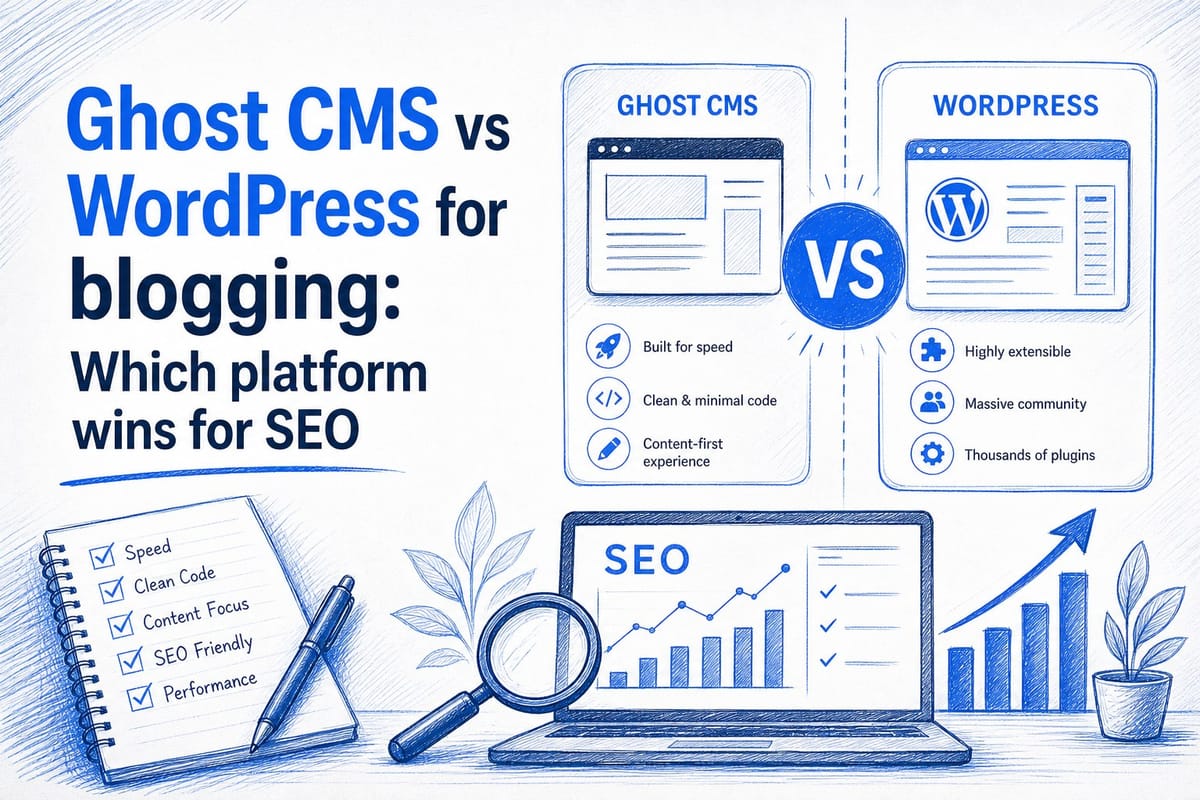
Table of contents
1. How Ghost and WordPress are built, and why it matters for SEO
2. SEO performance, content workflow, and real publishing experience
3. Which platform actually wins for SEO, and how to make a final decision
Choosing between Ghost CMS and WordPress for blogging is one of the most common decisions new and growing content creators face. Both platforms can help you publish blog posts and attract organic traffic, but they work in very different ways. I want to walk you through a direct, honest comparison so you can pick the platform that actually fits your goals, your technical comfort level, and your SEO ambitions. If you are weighing ghost cms vs wordpress for blogging, this guide covers everything that matters: performance, SEO tooling, ease of use, and long-term content strategy.
How Ghost and WordPress are built, and why it matters for SEO
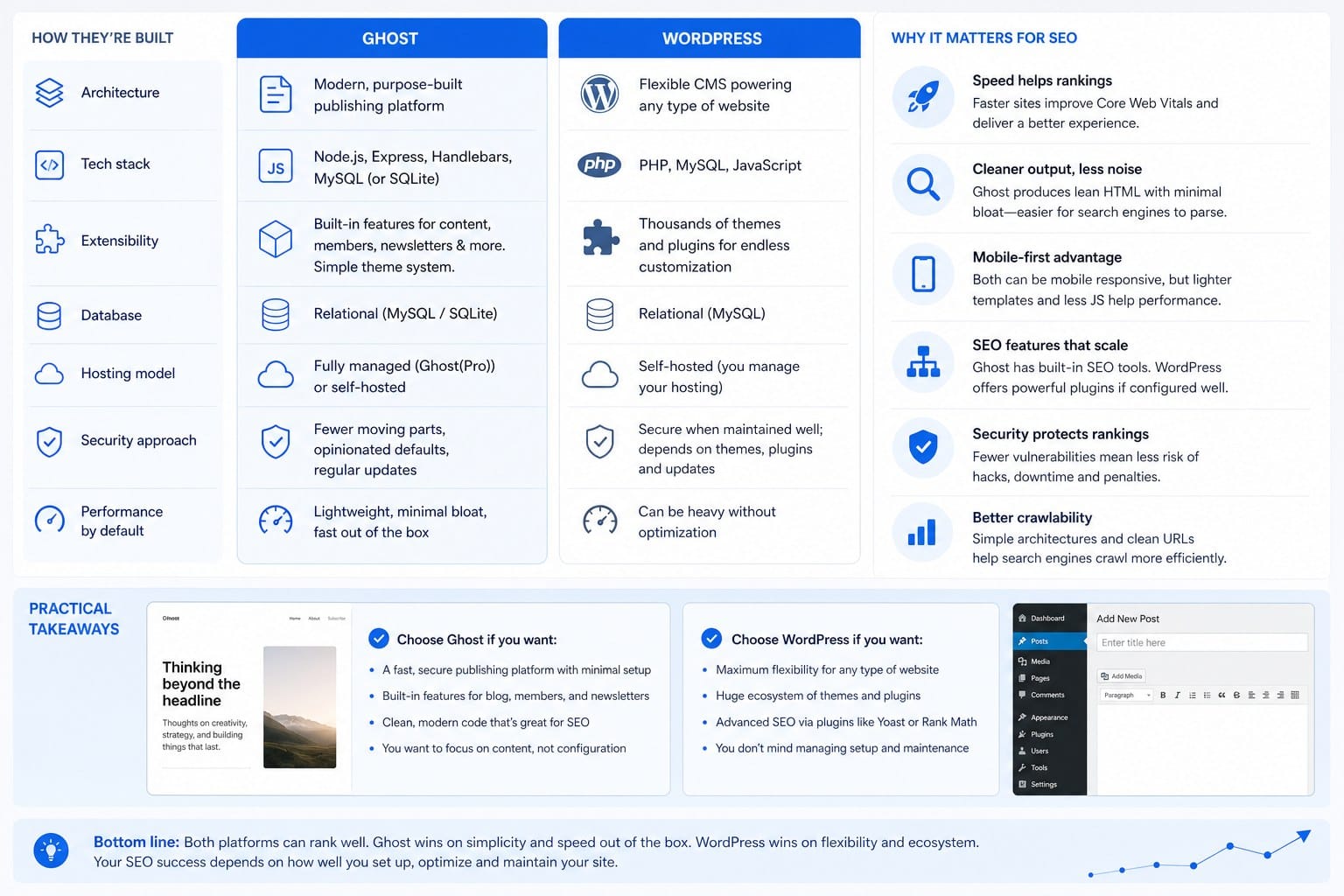
Ghost and WordPress look similar on the surface. Both let you write and publish blog posts. Both support custom domains. Both have themes you can customize. But underneath, they are built on completely different foundations, and those differences show up directly in your search rankings.
WordPress launched in 2003 as a blogging tool and has grown into a full content management system that powers roughly 43 percent of all websites on the internet. It runs on PHP and MySQL, uses a traditional server-side rendering approach, and relies on a massive ecosystem of plugins to extend its functionality. When you install WordPress, you get a basic publishing tool. Everything else, including SEO optimization, caching, image compression, and schema markup, usually requires a third-party plugin.
Ghost launched in 2013 as a reaction to WordPress complexity. It was built on Node.js, which means it handles concurrent requests more efficiently than a typical WordPress setup. Ghost is purpose-built for publishing. It ships with structured data, canonical tags, Open Graph tags, Twitter card metadata, XML sitemaps, and clean semantic HTML out of the box. You do not need to install a separate plugin to get those basics right.
Why does this matter for SEO? Google cares deeply about page speed, mobile usability, and clean HTML structure. A default Ghost installation scores significantly better on Core Web Vitals than a default WordPress installation. WordPress sites can absolutely achieve excellent performance scores, but they require deliberate optimization work. You need to configure a caching plugin like WP Rocket or W3 Total Cache, install an image optimization tool, use a lightweight theme, and minimize plugin bloat. Ghost gives you a faster starting point without that configuration overhead.
On the other hand, WordPress has the largest plugin ecosystem in the world. Plugins like Yoast SEO, Rank Math, and All in One SEO give you detailed, page-by-page control over meta titles, meta descriptions, focus keywords, breadcrumbs, and schema types. Ghost handles many of these elements automatically, but it offers less manual granularity. For example, Ghost does not currently have a native plugin that walks you through keyword optimization on each individual post the way Yoast does.
For content creators who want technical SEO handled automatically without much configuration, Ghost has a real advantage. For those who want to fine-tune every SEO element on every page, WordPress gives you more control through its plugin library.
One more structural difference worth noting is the membership and newsletter feature built into Ghost. Ghost includes native email newsletter and paid membership functionality. This matters for SEO indirectly because it gives you a direct channel to bring readers back to your site repeatedly, which increases engagement signals. WordPress can replicate this functionality, but you typically need a paid plugin or a third-party service to do it.
If you want to understand how the choice of CMS affects your long-term publishing workflow and SEO outcomes, I recommend reading this deep dive on best CMS platforms for automated content publishing. It covers the broader landscape beyond just these two platforms.
SEO performance, content workflow, and real publishing experience
Knowing how a platform is built is useful background knowledge. But what bloggers and content marketers really need to know is how each platform performs when you are actually trying to rank content and publish consistently over time.
Let me start with page speed, because it is one of the most measurable and consequential SEO factors. Ghost uses server-side rendering with a Node.js backend and minimal JavaScript on the frontend by default. A basic Ghost blog on a good host can regularly achieve Lighthouse performance scores in the 90s without any extra configuration. WordPress, by contrast, ships with jQuery and a theme framework that can add significant page weight. Without caching and optimization, a WordPress site can score in the 50s or 60s on the same test. That gap matters because Google uses Core Web Vitals as a ranking signal, particularly Largest Contentful Paint, Cumulative Layout Shift, and Interaction to Next Paint.
That said, WordPress can absolutely match Ghost's performance when properly optimized. Sites running a lightweight theme, a solid caching plugin, a content delivery network, and an image optimization service routinely score in the 90s. The difference is that WordPress requires deliberate work to get there, while Ghost requires deliberate work to fall behind.
Now let's talk about the day-to-day writing experience, because this has a direct effect on how consistently you publish. Consistent publishing is one of the most important long-term SEO investments you can make. I have written about this in detail in my article on content compounding: why consistent blogging grows organic traffic exponentially. The short version is that each new article you publish adds to your site's topical authority, attracts more inbound links over time, and creates compounding organic growth. Any friction in your publishing workflow works against that compounding effect.
Ghost's editor is clean and minimal. It uses a card-based system where you insert text blocks, images, embeds, and other elements as individual cards. Many writers prefer this approach because it keeps them focused on the content rather than the interface. WordPress uses the Gutenberg block editor by default, which is more powerful but also more complex. Gutenberg gives you more layout control, but it introduces more cognitive overhead during the writing process. If you primarily write long-form articles with standard text formatting, images, and occasional embeds, Ghost's editor is genuinely faster to work in.
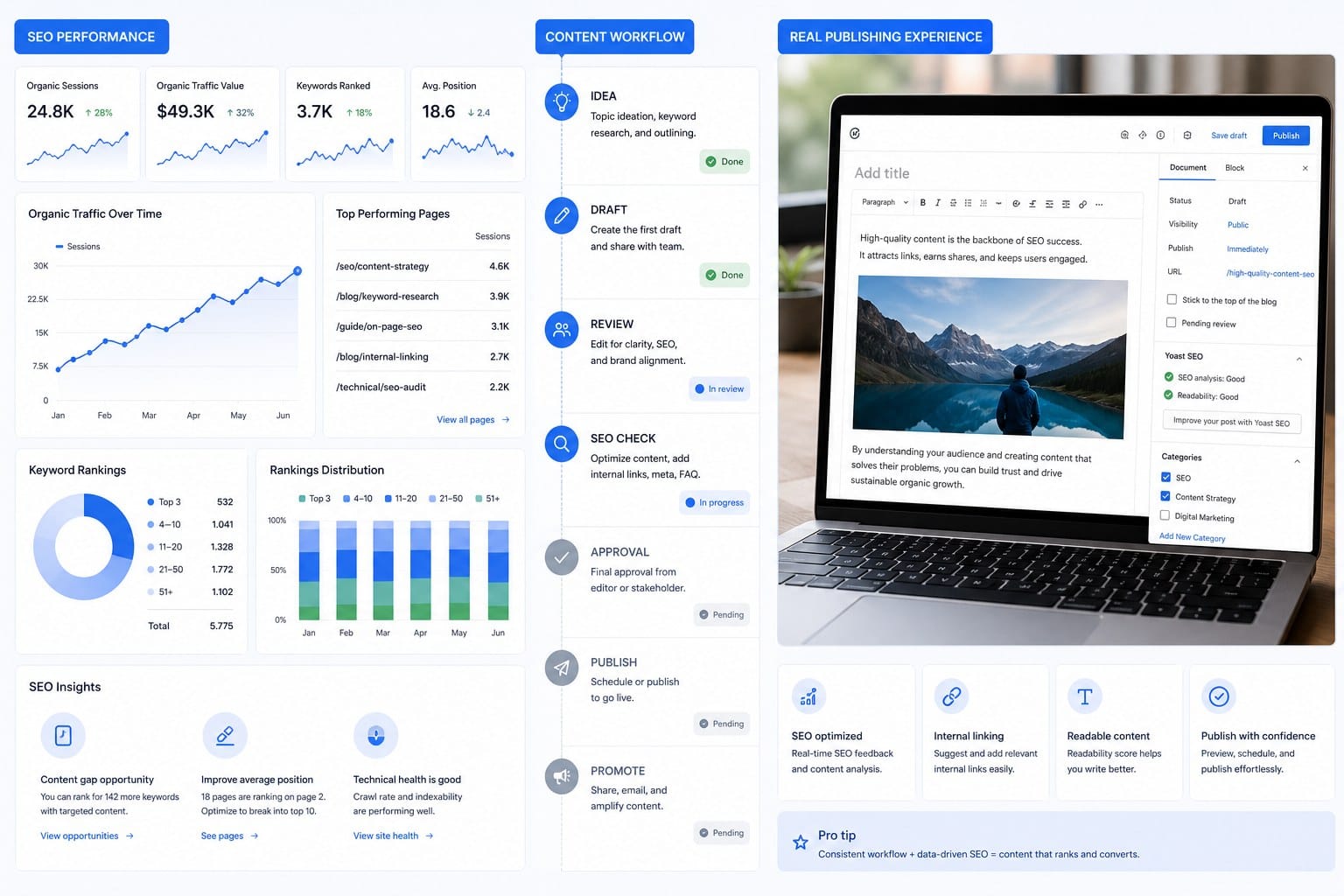
For keyword research and on-page SEO guidance, WordPress wins on tooling. Plugins like Rank Math and Yoast SEO give you a real-time content analysis as you write. They flag keyword density issues, missing alt text, weak meta descriptions, readability problems, and missing internal links. These tools are genuinely useful, especially for bloggers who are still learning SEO fundamentals. Ghost does not have an equivalent native tool. You get clean structured data and fast pages, but you do not get a guided SEO checklist for each post.
This gap can be bridged. Many Ghost users write their content in a separate tool, run their keyword and readability checks there, and then paste the final content into Ghost. It adds a step, but it is not a dealbreaker for experienced writers who already know what they are doing.
Internal linking is another area where WordPress holds an advantage through its plugin ecosystem. Plugins like Link Whisper analyze your existing content and suggest relevant internal links as you write. Ghost requires you to manage internal linking manually. This is a meaningful SEO difference because internal links help Google understand the structure of your site and distribute link authority across your pages. For a blog with hundreds of posts, automated internal link suggestions save significant time.
On the hosting side, WordPress runs on traditional shared hosting, VPS hosting, or managed WordPress hosts like Kinsta, WP Engine, and Cloudways. Ghost can be self-hosted on a VPS or run on Ghost's own managed hosting platform, Ghost Pro. Ghost Pro starts at a monthly fee that is higher than basic shared WordPress hosting but includes managed updates, backups, and CDN delivery. The cost comparison depends heavily on how much traffic your site gets and which hosting tier you choose.
For visual content, both platforms support image uploads, embedded media, and custom graphics. Creating on-brand visuals at scale is an important part of a competitive blog strategy. If you want to learn how AI tools can help with that, I covered it in detail in this article on how to create on-brand blog visuals at scale using AI.
One workflow consideration that does not get discussed enough is API access and automation. Ghost has a well-documented Content API and Admin API that make it straightforward to publish content programmatically. WordPress also has a REST API, but it requires more configuration and authentication setup for reliable automated publishing. If you plan to use AI tools or content automation systems to publish articles at scale, Ghost's API is cleaner and easier to work with.
Let me also address security. WordPress is the most widely used CMS in the world, which also makes it the most targeted. Vulnerabilities in plugins, themes, and outdated WordPress core files are the leading cause of hacked websites. You can secure a WordPress site effectively with the right hosting, regular updates, and security plugins, but it requires active maintenance. Ghost has a smaller attack surface by design. Its limited plugin ecosystem and Node.js architecture make it a less common target for automated attacks.
For independent bloggers and small teams who do not want to spend time on security maintenance, Ghost removes one category of ongoing work.
Which platform actually wins for SEO, and how to make a final decision
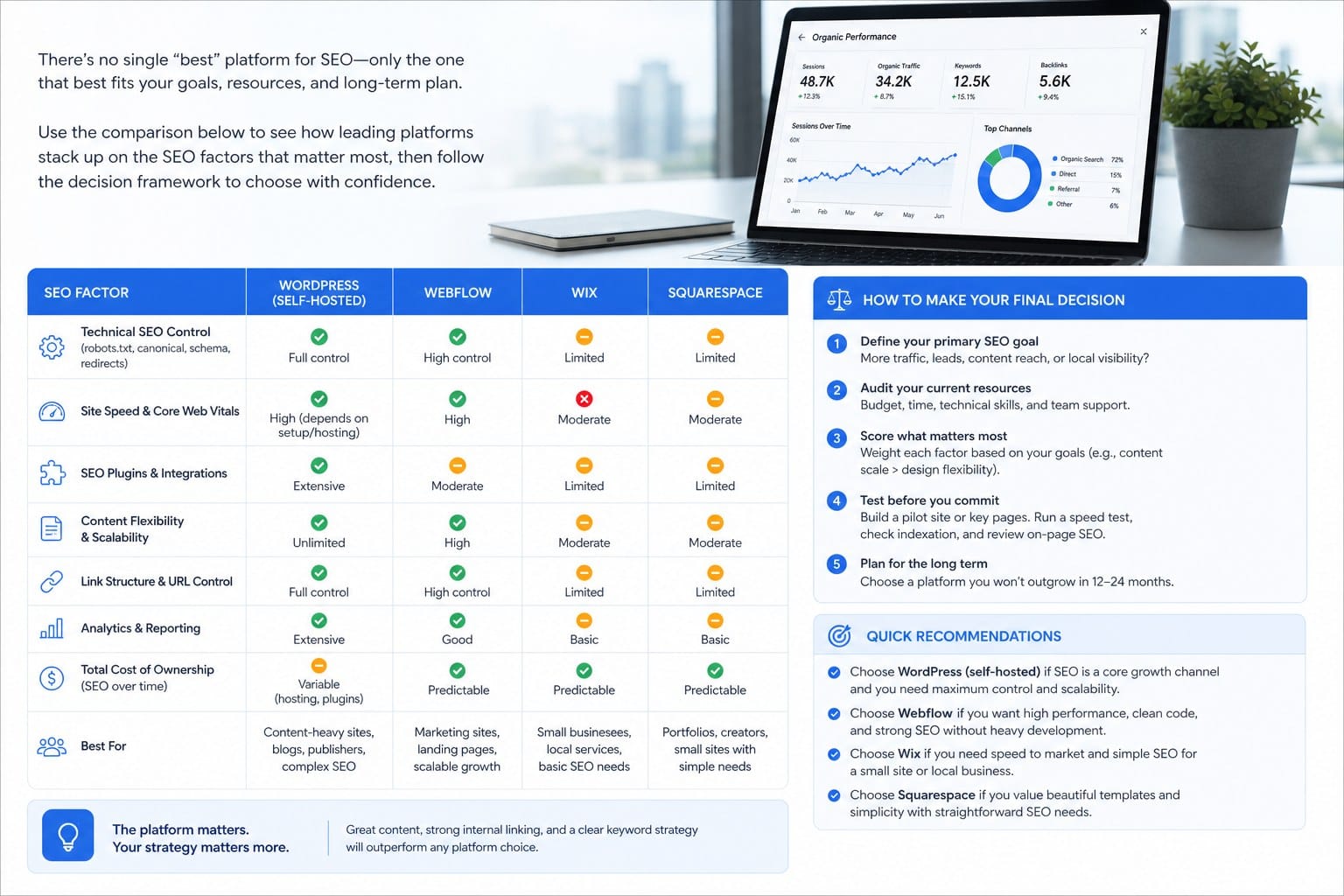
After going through all of those details, here is my honest assessment: there is no universal winner when comparing ghost cms vs wordpress for blogging. The right answer depends on who you are, what kind of site you are building, and how much time you want to spend on platform management versus content creation.
Let me give you some clear guidance based on different situations.
If you are an independent blogger who wants to spend most of your time writing and as little time as possible on technical configuration, Ghost is probably the better choice. You get fast page speeds by default, clean semantic HTML, built-in structured data, and a distraction-free writing environment. You do not need to babysit plugin updates or worry about plugin conflicts breaking your site.
If you are a SaaS founder or startup building a content marketing program and you want maximum control over on-page SEO elements, custom landing pages, complex navigation structures, and deep analytics integrations, WordPress gives you more flexibility. Its plugin ecosystem covers almost any use case, and the community of developers who know WordPress is enormous. Finding help, hiring freelancers, or finding documentation is almost always easier with WordPress.
If you are a small business owner with limited technical resources, the hosting setup and ongoing maintenance of WordPress can become a burden. Ghost Pro removes the server management entirely, which is a meaningful advantage for non-technical users who just want a blog that works.
If you are a digital marketer managing multiple brand blogs and you need a publishing workflow that scales, WordPress's flexibility and automation plugin options give you more to work with. But Ghost's clean API is increasingly attractive for teams that want to automate content production and publishing programmatically.
For teams that are already using or considering Ghost, there is a compelling case to build an automated content workflow around it. Ghost's Admin API accepts full article data including titles, content, tags, feature images, and metadata. This means a system can generate an article, format it correctly, and publish it to Ghost without any manual copy-pasting. That kind of tight integration is what makes Ghost particularly interesting for brands that want to scale content output without scaling headcount.
Now, let me address the SEO question directly. In terms of pure technical SEO defaults, Ghost edges out WordPress. Faster load times, cleaner HTML, built-in structured data, and automatic sitemaps give Ghost a better technical SEO foundation out of the box. But technical SEO is only one part of ranking. Content quality, topical authority, backlink profile, and publishing frequency matter just as much or more.
WordPress, with the right setup, is equally capable of achieving excellent technical SEO scores. And its on-page SEO plugin ecosystem gives individual writers more guidance and control over their content optimization. For teams with an experienced SEO practitioner managing the technical setup, WordPress can absolutely compete with and outperform Ghost installations.
The gap between the two platforms narrows significantly when you factor in content quality and consistency. A blogger publishing three well-researched, well-optimized articles per week on WordPress will outrank a blogger publishing one mediocre article per month on Ghost, regardless of how fast the Ghost site loads. Platform choice matters, but publishing frequency and content quality matter more.
This is why the real leverage point for most bloggers is not choosing between Ghost and WordPress. It is building a system that lets you publish high-quality content consistently, whichever platform you use. That is the insight behind tools like Blogtude, which generates a 30-day content strategy, produces deeply researched long-form articles with on-brand visuals, and publishes directly to Ghost and other CMS platforms automatically. The goal is to remove the manual effort bottleneck entirely so that consistent publishing becomes something that happens without requiring your time every week.
Here are some practical decision criteria to help you choose:
Choose Ghost if you want fast technical SEO defaults without configuration, prefer a clean minimal writing experience, want built-in email newsletters and memberships, plan to use API-based automation for publishing, or host on Ghost Pro to avoid server management.
Choose WordPress if you want maximum plugin flexibility for SEO tooling, need complex page layouts or e-commerce alongside your blog, have an existing WordPress site you are expanding, want guided on-page SEO analysis as you write, or need a large developer community for custom work.
Choose neither platform in isolation if what you actually need is a content production and publishing system rather than just a tool to write in. The platform is the delivery mechanism. The strategy, research, writing, visuals, and publishing schedule are what drive SEO results. Getting those right matters more than whether your blog runs on Ghost or WordPress.
One thing I want to emphasize before closing: the biggest SEO mistake bloggers make is not choosing the wrong platform. It is publishing inconsistently. A site that publishes two articles and then goes quiet for three months will not rank for competitive keywords regardless of how well those two articles are optimized. Google rewards sites that demonstrate ongoing topical expertise through regular, high-quality publishing. The platform you choose should be evaluated primarily on how well it supports your ability to publish consistently at the quality level your audience expects.
Both Ghost and WordPress can support that kind of consistent publishing. The question is which one creates less friction for your specific situation. Start there, and the decision gets much clearer.
Ready to take the next step?
If you are running a Ghost blog or planning to launch one, Blogtude can handle the entire content workflow for you. Blogtude generates a 30-day content strategy tailored to your niche, writes deeply researched long-form articles, creates on-brand visuals, and publishes directly to Ghost automatically. You get consistent, SEO-driven blog output without the manual effort. Visit blogtude.com to see how it works and start building your content engine today.